

Modern software teams need reliable CI/CD tools to build, test, secure, and deploy applications quickly. As organizations adopt cloud platforms, Kubernetes, containers, Infrastructure as Code, and DevSecOps practices, choosing the right CI/CD platform has become an important part of software delivery strategy.
In 2026, GitHub Actions, Azure DevOps, and Jenkins remain three important options for automating software delivery. They can all support build, test, release, and deployment workflows, but they differ significantly in their architecture, management model, integrations, and developer experience.
GitHub Actions is tightly integrated with GitHub, Azure DevOps provides a broader application lifecycle and enterprise DevOps platform, while Jenkins offers highly customizable, open-source automation.
Understanding these differences can help teams select a CI/CD approach that matches their existing development environment and operational requirements.
What Is CI/CD?
CI/CD stands for Continuous Integration and Continuous Delivery or Continuous Deployment.
Continuous Integration automatically builds and tests code changes when developers commit code or create pull requests.
Continuous Delivery or Deployment extends this process by automating the release and deployment of tested software.
A typical CI/CD workflow looks like:
Code → Build → Test → Security Scan → Package → Deploy → Monitor
Modern CI/CD pipelines can also integrate container scanning, Infrastructure as Code validation, automated approvals, and cloud deployment.
GitHub Actions
GitHub Actions is a CI/CD and workflow automation platform built directly into GitHub. It allows teams to create workflows that automatically build, test, package, and deploy applications based on events such as commits and pull requests.
GitHub Actions workflows are commonly defined using YAML files stored inside the repository.
A simplified workflow can look like:
name: CI
on:
push:
branches: [main]
jobs:
build:
runs-on: ubuntu-latest
steps:
– uses: actions/checkout@v4
– run: npm install
– run: npm test
– run: npm run build
GitHub provides hosted runners for Linux, Windows, and macOS, while organizations can also use self-hosted runners when they need specific environments or hardware.
Strengths of GitHub Actions
Strong integration with GitHub repositories and pull requests
YAML-based workflow configuration
Large ecosystem of reusable actions
GitHub-hosted and self-hosted runners
Convenient integration with cloud platforms
Support for CI and CD workflows
Useful for development teams already using GitHub
GitHub Actions can also integrate with cloud providers using modern authentication approaches such as OpenID Connect, reducing reliance on long-lived cloud credentials.
Azure DevOps Pipelines
Azure Pipelines is the CI/CD component of Azure DevOps and supports building, testing, and deploying applications across different platforms and technologies.
Azure Pipelines can work with Azure Repos as well as external repositories such as GitHub.
Teams can define pipelines using YAML and configure concepts such as:
Stages
Jobs
Tasks
Agents
Environments
Variables
Templates
Triggers
Azure Pipelines also supports deployment scenarios involving Azure services, Kubernetes, containers, and other application platforms.
An important advantage is that Azure Pipelines does not require an organization to keep its source code in Azure Repos. Microsoft documents integration with GitHub repositories, including pull-request and continuous-integration triggers.
Strengths of Azure DevOps
Strong integration with the Microsoft ecosystem
Advanced enterprise pipeline capabilities
YAML and classic pipeline options
Support for Azure and multi-platform deployments
Integration with GitHub and other repositories
Self-hosted and cloud-based agent options
Useful environment and release management features
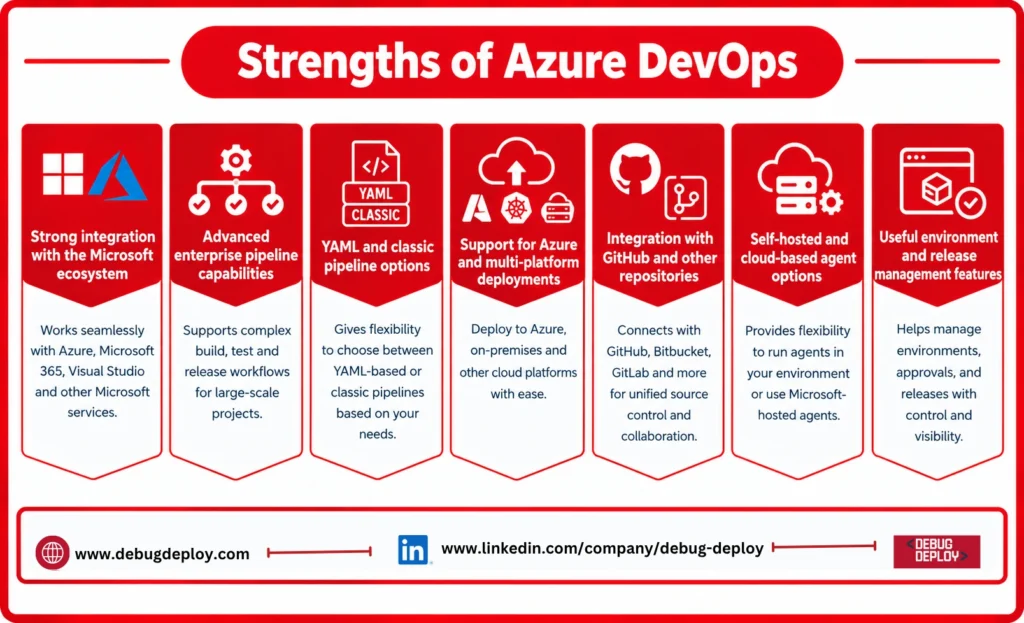
Azure DevOps can be particularly relevant for organizations already using Microsoft technologies, Azure, Microsoft Entra, Azure Boards, Azure Repos, or Azure Artifacts.
Jenkins
Jenkins is an open-source automation server that can be used to create highly customizable CI/CD pipelines.
Unlike GitHub Actions and Azure Pipelines, Jenkins is traditionally self-hosted and managed by the organization, although managed Jenkins services are also available.
Jenkins pipelines can be defined using a Jenkinsfile.
For example:
pipeline {
agent any
stages {
stage(‘Build’) {
steps {
sh ‘npm install’
sh ‘npm run build’
}
}
stage(‘Test’) {
steps {
sh ‘npm test’
}
}
}
}
Jenkins has a large plugin ecosystem and can be customized to integrate with many development, testing, cloud, container, and deployment technologies.
Strengths of Jenkins
Open-source
Highly customizable
Large plugin ecosystem
Supports complex pipeline workflows
Strong self-hosting capabilities
Suitable for organizations with specialized infrastructure
Can integrate with many development and deployment platforms
The flexibility of Jenkins is also one of its management challenges. Organizations are responsible for maintaining Jenkins infrastructure, plugins, security, upgrades, and pipeline environments.
GitHub Actions vs Azure DevOps vs Jenkins
Feature | GitHub Actions | Azure DevOps | Jenkins |
Deployment model | Cloud + self-hosted runners | Cloud + self-hosted agents | Primarily self-hosted |
Configuration | YAML | YAML + classic options | Jenkinsfile / Groovy |
GitHub integration | Native | Strong integration | Via plugins/integrations |
Azure integration | Strong | Very strong | Available through plugins |
Open source | No | No | Yes |
Plugin/action ecosystem | Large Actions ecosystem | Large task/integration ecosystem | Very large plugin ecosystem |
Infrastructure management | Lower with hosted runners | Lower with hosted agents | Higher |
Customization | High | High | Very high |
Best fit | GitHub-centric teams | Enterprise/Microsoft environments | Highly customized environments |
Which CI/CD Tool Should You Choose?
There is no single CI/CD platform that fits every organization.
Choose GitHub Actions When
GitHub is already the central development platform and teams want CI/CD workflows closely connected to repositories, pull requests, issues, and code review.
GitHub Actions is also useful when teams prefer repository-based YAML workflows and want access to GitHub-hosted or self-hosted runners.
Choose Azure DevOps When
Organizations need a broader Microsoft-oriented DevOps environment with Azure integration, enterprise pipeline management, work tracking, artifacts, and deployment environments.
Azure Pipelines can also be used with GitHub repositories, so teams do not necessarily have to move their source code to Azure Repos.
Choose Jenkins When
An organization needs extensive customization, has existing Jenkins expertise, or needs to maintain specialized build and deployment infrastructure.
Jenkins can be particularly useful for organizations that require detailed control over their automation environment.
CI/CD Security in 2026
Security should be part of every CI/CD pipeline regardless of the platform selected.
Modern pipelines should consider:
Secret management
Dependency scanning
Static code analysis
Container image scanning
Infrastructure as Code scanning
Software supply-chain security
Identity and access controls
Artifact integrity
Deployment approvals
Audit logging
Organizations should also avoid storing long-lived credentials unnecessarily. For example, GitHub Actions supports OpenID Connect for authentication to supported cloud providers, allowing workflows to use short-lived identity-based access rather than relying solely on long-lived secrets.
CI/CD and Cloud-Native Development
CI/CD platforms are increasingly connected to cloud-native development practices.
A modern pipeline may look like:
Developer → Git → CI Pipeline → Security Scans → Container Registry → Kubernetes/Cloud → Monitoring
GitHub Actions, Azure Pipelines, and Jenkins can all participate in this type of workflow.
The important consideration is not simply which tool has the largest feature list. Teams should evaluate how easily the platform fits into their existing source control, cloud infrastructure, security model, deployment architecture, and engineering processes.
Conclusion
GitHub Actions, Azure DevOps, and Jenkins are powerful CI/CD options, but they are designed around different operational models.
GitHub Actions provides tight GitHub integration and repository-based workflow automation. Azure DevOps offers a broader DevOps platform with strong Microsoft and Azure integration. Jenkins provides extensive customization and control through its open-source and plugin-based architecture.
For organizations choosing a CI/CD platform in 2026, the decision should consider developer workflow, cloud environment, security requirements, existing infrastructure, team expertise, customization needs, and operational overhead.
The right CI/CD strategy is ultimately the one that allows teams to build, test, secure, and deploy software consistently while fitting naturally into the organization’s wider engineering ecosystem.
Want to Master CI/CD & Modern DevOps Tools in 2026?
Learn how to design and manage automated, secure, and scalable CI/CD pipelines using GitHub Actions, Azure DevOps, and Jenkins with guidance from a Microsoft Certified Trainer (MCT). Build practical skills in continuous integration, continuous delivery, pipeline automation, DevOps practices, cloud deployment, and release management.
Recommended Microsoft Azure, Cloud & DevOps Certification Programs:
AZ-204: Developing Solutions for Microsoft Azure
AZ-104: Microsoft Azure Administrator
AZ-305: Designing Microsoft Azure Infrastructure Solutions
AZ-900: Microsoft Azure Fundamentals
Live Instructor-Led Training
CI/CD & DevOps Automation Skills
GitHub Actions, Azure DevOps & Jenkins
Automated Build, Test & Deployment Pipelines
Cloud-Native Development & Release Management
Real-World DevOps & CI/CD Projects
Certification Preparation & Career Guidance
– Email: trainings@debugdeploy.com
– WhatsApp: Contact us for quick assistance
Build your CI/CD expertise and learn how to design reliable, automated software delivery pipelines using GitHub Actions, Azure DevOps, and Jenkins for modern cloud and DevOps environments in 2026.