
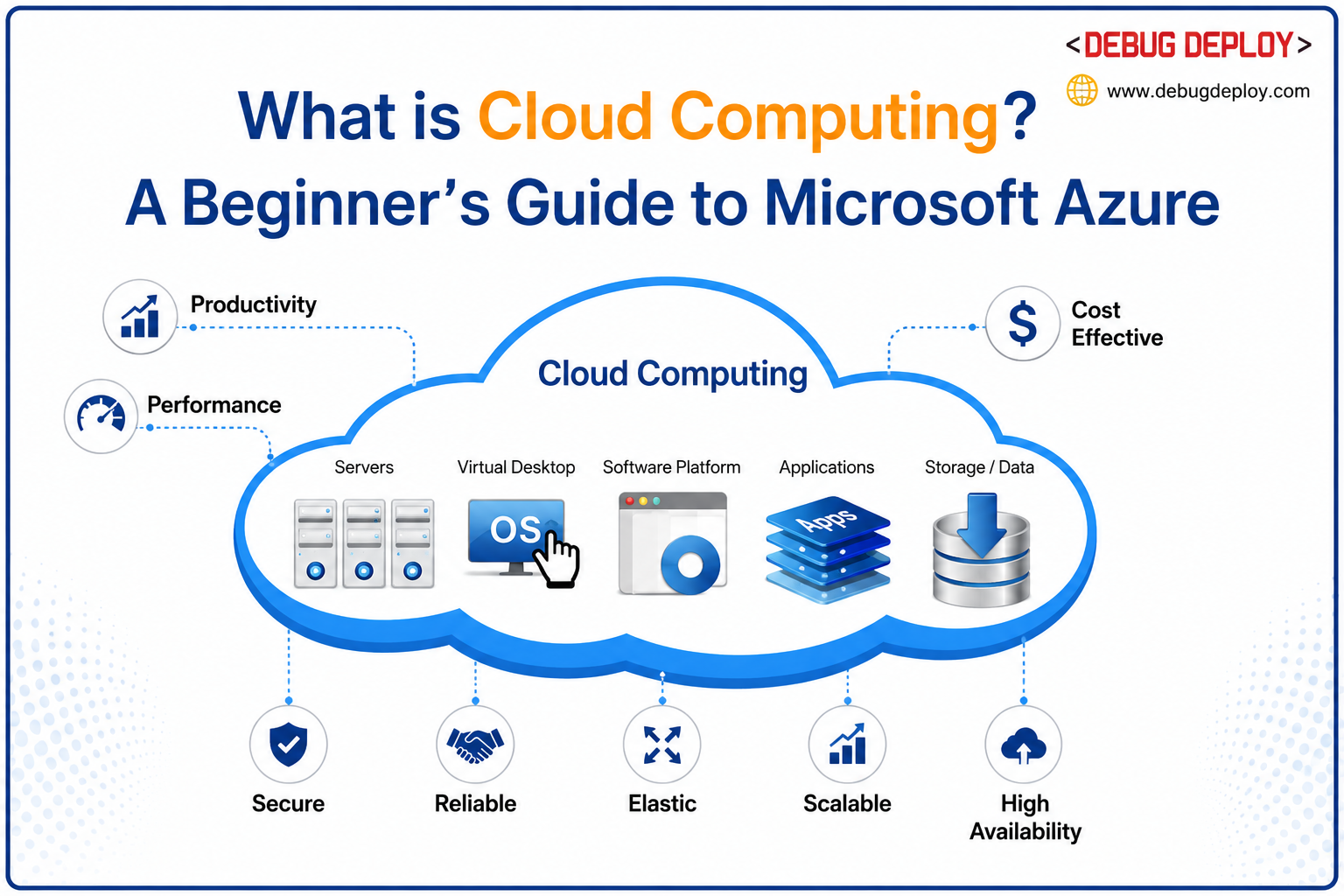
Cloud computing is one of the major technologies impacting the digital world in 2026. Companies no longer have to rely only on expensive physical servers and traditional IT infrastructure to operate apps, store data, and manage operations. Rather, companies are increasingly moving to cloud platforms, which provide security, scalability, flexibility, and faster service delivery. One of the most widely used cloud systems available today, Microsoft Azure is used by businesses, developers, and IT experts worldwide.
It is very helpful for beginners to the technology industry to understand Azure cloud computing because cloud skills are now essential in fields like software development, cybersecurity, data analytics, DevOps, networking, and IT administration. Azure provides a practical way for businesses and individuals to access computing resources without purchasing or maintaining physical hardware.
This beginner-friendly guide explains what Azure cloud computing is, how it works, why it matters, and what every beginner should know before starting their Azure learning journey.
What Is Microsoft Azure?
A variety of cloud services, such as computing, storage, networking, databases, analytics, artificial intelligence, and security solutions, are available through Microsoft Azure, a cloud computing platform created by Microsoft.
Businesses can rent cloud resources from Azure as needed, saving them the trouble of creating massive data centers or purchasing physical servers. Users may deploy apps and services from practically anywhere in the world thanks to Microsoft’s global data centers.
Azure supports:
Virtual machines
Application hosting
Cloud storage
Databases
Networking services
AI and machine learning
Backup and disaster recovery
Identity management
Security and compliance tools
This makes Azure useful for businesses of all sizes, from startups to large enterprises.
What Is Cloud Computing?
Cloud computing refers to delivering computing services over the internet instead of using local hardware and physical infrastructure.
Traditional IT environments require businesses to:
Purchase servers
Configure networking equipment
Maintain hardware
Handle software updates
Manage backups and security
Cloud computing removes much of this burden by allowing organizations to access technology resources online whenever required.
Cloud services generally fall into three categories:
Infrastructure as a Service (IaaS)
IaaS provides virtualized computing resources such as:
Virtual machines
Networking
Storage
Servers
Users manage applications and operating systems while the cloud provider manages physical infrastructure.
Platform as a Service (PaaS)
PaaS provides ready-made environments for developers to build and deploy applications without managing hardware or operating systems.
Software as a Service (SaaS)
SaaS delivers software applications over the internet, allowing users to access applications through web browsers without installing them locally.
Examples include:
Microsoft 365
Email platforms
CRM systems
Collaboration tools
Understanding these service models is important for every Azure beginner.
Why Azure Cloud Computing Matters in 2026
Cloud computing continues to grow because businesses require:
Faster scalability
Lower infrastructure costs
Better security
Remote accessibility
Flexible deployment
AI and analytics capabilities
Azure helps organizations modernize their operations while reducing the complexity of traditional infrastructure management.
Many companies are moving to cloud-first strategies, making cloud skills highly valuable in today’s job market.
Key Benefits of Azure Cloud Computing
1. Scalability
Azure allows businesses to scale resources up or down depending on workload demand. Applications can handle traffic spikes without purchasing additional hardware.
2. Cost Efficiency
Azure uses a pay-as-you-go pricing model, meaning users only pay for the resources they consume. This reduces large upfront infrastructure investments.
3. Security
Azure provides advanced security tools including:
Encryption
Threat detection
Identity management
Access control
Compliance monitoring
Security is one of the biggest reasons organizations trust cloud platforms.
4. Global Accessibility
Azure’s global network of data centers allows users to access applications and services from almost anywhere with internet connectivity.
5. Integration With Microsoft Products
Azure integrates naturally with:
Windows Server
Microsoft 365
SQL Server
Power BI
Microsoft Teams
This makes Azure especially attractive for businesses already using Microsoft ecosystems.
Important Azure Services Beginners Should Know
Azure offers hundreds of services, but beginners should focus on understanding the core services first.
Azure Virtual Machines
Virtual Machines allow users to run Windows or Linux systems in the cloud without maintaining physical servers.
Azure Storage
Azure Storage helps organizations securely store files, databases, images, videos, and backups.
Azure Networking
Networking services help connect applications, users, and systems securely across cloud environments.
Azure Active Directory
Azure Active Directory manages user authentication, permissions, and identity security for organizations.
Azure App Services
App Services allow developers to deploy and host web applications quickly without managing infrastructure manually.
Azure SQL Database
Azure SQL Database is a managed cloud database service that simplifies database hosting and maintenance.
Who Uses Azure?
Azure is used across many industries including:
Healthcare
Banking
Education
Retail
Manufacturing
Government
Technology companies
Common use cases include:
Hosting applications
Data backup and recovery
Running AI workloads
Business analytics
Hybrid cloud environments
Remote collaboration systems
Because Azure supports many business operations, its demand continues to grow globally.
Is Azure Difficult for Beginners?
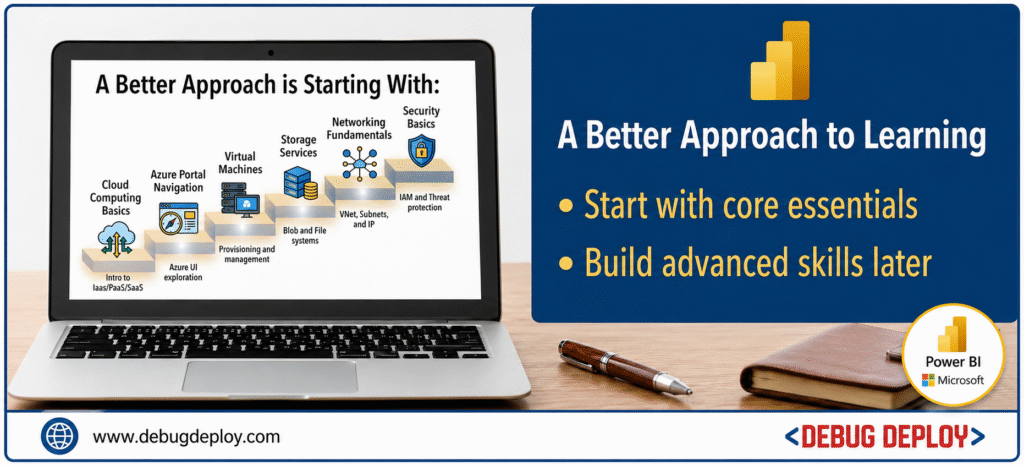
Azure may appear overwhelming initially because it includes many services and technologies. However, beginners do not need to learn everything at once.
A better approach is starting with:
Cloud computing basics
Azure portal navigation
Virtual machines
Storage services
Networking fundamentals
Security basics
Once these core concepts become clear, advanced topics become much easier to understand.
Hands-on practice is the most effective learning strategy.
Best Azure Certification for Beginners
One of the best starting points for beginners is the AZ-900: Microsoft Azure Fundamentals certification.
This certification introduces:
Cloud concepts
Azure architecture
Pricing and support
Security basics
Core Azure services
AZ-900 is beginner-friendly and helps learners build strong foundational cloud knowledge.
How Beginners Can Start Learning Azure
A practical beginner learning path includes:
Learning cloud computing basics
Exploring the Azure portal
Creating a virtual machine
Setting up cloud storage
Deploying a simple web application
Learning identity and access management
Practicing security and monitoring concepts
Building small projects helps beginners understand Azure more effectively than only studying theory.
Common Mistakes Beginners Should Avoid
Many beginners make mistakes that slow their learning progress.
Common mistakes include:
Trying to learn all Azure services at once
Ignoring hands-on practice
Memorizing concepts without understanding them
Skipping networking and security basics
Focusing only on certifications without building projects
A gradual and practical learning approach works best.
Career Opportunities in Azure Cloud Computing
Azure cloud skills can lead to careers such as:
Cloud Administrator
Azure Engineer
DevOps Engineer
Cloud Security Specialist
Data Engineer
Solutions Architect
Cloud Developer
As organizations continue adopting cloud technologies, demand for Azure professionals is expected to remain strong.
Conclusion
In 2026, Azure cloud computing has emerged as one of the key technologies for companies and IT specialists. Without largely depending on physical hardware, it assists enterprises in developing applications, managing infrastructure, safeguarding systems, analyzing data, and scaling operations. Beginners can gain excellent employment opportunities in cloud computing, cybersecurity, software development, and data analytics by learning Azure. Beginners can progressively develop strong Azure skills and get ready for the future of modern technology by beginning with cloud principles and practicing frequently through practical projects.
Ready to Start Your Azure Cloud Computing Journey?
Get trained by a Microsoft Certified Trainer (MCT) and build the foundational cloud skills needed to begin your Microsoft Azure career with confidence.
Recommended Beginner Azure Certification:
AZ-900: Microsoft Azure Fundamentals
✅ Live Instructor-Led Training
✅ Azure Cloud Fundamentals & Core Concepts
✅ Virtual Machines, Storage & Networking Basics
✅ Identity, Security & Governance Introduction
✅ Hands-On Azure Portal Practice
✅ Certification Exam Preparation & Guidance
📧 Email: trainings@debugdeploy.com
📱 WhatsApp: Contact us for quick assistance
Start learning Azure Cloud Computing today and build the foundation for a successful cloud career in 2026.