
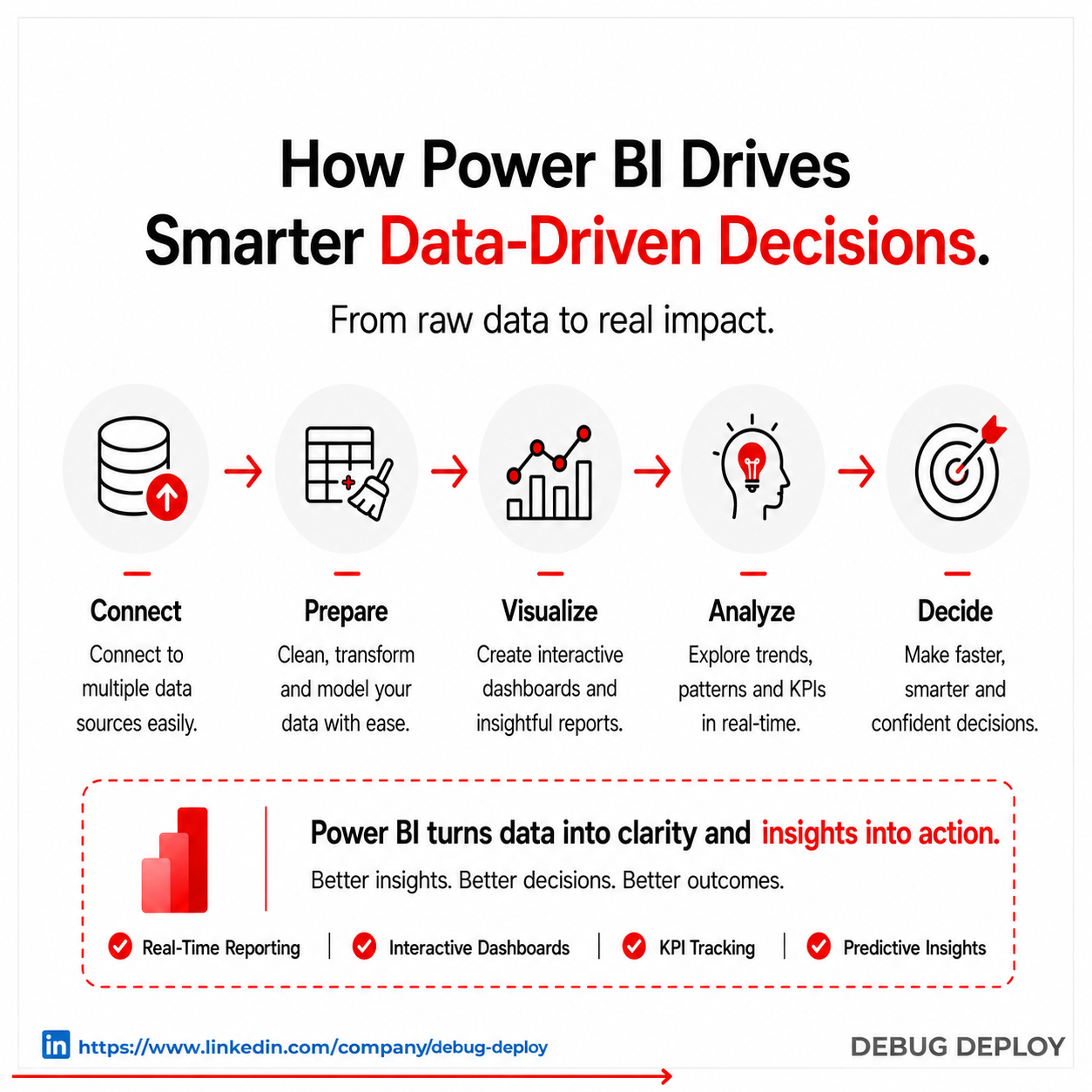
In today’s digital economy, businesses collect data from multiple sources every second. Sales transactions, customer behavior, website traffic, financial reports, marketing campaigns, and operational metrics all generate valuable information. The challenge is not collecting data anymore—it is converting that data into decisions that improve growth, efficiency, and profitability.
Many organizations still rely on spreadsheets, disconnected reports, or outdated dashboards. This creates delays, confusion, and missed opportunities. Leaders often make decisions based on incomplete information because reports arrive too late or data is spread across multiple systems.
Power BI solves this problem by helping organizations transform raw data into meaningful insights through interactive dashboards, real-time analytics, and automated reporting. It gives decision-makers the clarity they need to act faster and more accurately.
Why Data-Driven Decision Making Matters
Modern businesses operate in fast-changing markets where customer expectations, competition, and internal performance can shift quickly. Decisions based on assumptions are risky, while decisions backed by live data create stronger outcomes.
When organizations use accurate analytics, they can identify trends early, reduce waste, improve customer experiences, and allocate resources more effectively. Data-driven companies are often more agile because they respond to facts instead of reacting to guesswork.
Power BI enables this shift by making complex business data easy to understand for both technical and non-technical teams.
How Power BI Turns Data Into Actionable Insights
Power BI connects with multiple business systems and combines data into one centralized platform. Instead of manually gathering reports from different departments, users can access unified dashboards that update automatically.
This means executives, managers, and teams can view the same metrics in real time and make aligned decisions across the organization.
Power BI supports data from sources such as Excel, SQL databases, cloud platforms, CRM systems, ERP tools, marketing software, and custom applications. Once connected, the platform transforms raw numbers into visual reports that are easy to interpret.
Real-Time Visibility Improves Decision Speed
One of the biggest advantages of Power BI is real-time visibility. Traditional reporting often depends on weekly or monthly summaries, which means issues are discovered after they already impact performance.
With live dashboards, leaders can monitor sales performance, operational efficiency, customer engagement, and revenue trends instantly.
For example, a retail company can track daily store sales and compare regional performance. If one location underperforms, management can investigate immediately rather than waiting until the end of the month.
This faster access to insights leads to faster corrective action.
Better Reporting With Less Manual Work
Manual reporting consumes time and increases the risk of errors. Teams often spend hours exporting spreadsheets, updating charts, and emailing reports.
Power BI automates these repetitive processes through scheduled refreshes, dynamic dashboards, and instant report sharing. Once reports are configured, data updates automatically.
This reduces reporting workloads and allows employees to focus on analysis, planning, and execution instead of repetitive administrative tasks.
Businesses also gain confidence because automated reporting improves consistency across departments.
Smarter Forecasting Through Advanced Analytics
Successful companies do more than review historical data—they predict future outcomes. Power BI includes analytics capabilities that help organizations forecast trends and prepare in advance.
Businesses can use Power BI to identify seasonal demand patterns, project revenue growth, detect anomalies, and evaluate performance risks.
For example, a manufacturing company can forecast inventory needs based on historical sales and seasonal demand. This helps reduce overstocking and prevents supply shortages.
By using predictive insights, companies move from reactive management to proactive strategy.
Improved Collaboration Across Departments
Many business decisions require coordination between teams. Finance, sales, operations, marketing, and leadership often depend on shared metrics.
When each department uses separate reports, alignment becomes difficult. Different numbers lead to confusion and delayed execution.
Power BI solves this by providing a single source of truth. Shared dashboards allow departments to view the same live information and work toward common goals.
A marketing team can track campaign leads while sales monitors conversions, and finance evaluates return on investment—all from connected data sources.
This creates stronger collaboration and more confident decision-making.
Industry Use Cases of Power BI
Organizations across industries use Power BI to improve performance and planning.
Retail businesses use it to analyze customer buying behavior, monitor product demand, and optimize inventory.
Healthcare organizations use dashboards to track patient trends, staffing efficiency, and compliance metrics.
Financial institutions rely on Power BI for budgeting, forecasting, and profitability analysis.
Manufacturers use it to monitor production output, machine downtime, and supply chain performance.
Because Power BI is flexible, it adapts to both small businesses and large enterprises.
Why Power BI Creates Competitive Advantage
Businesses that act quickly usually outperform slower competitors. Power BI helps organizations accelerate decision-making through instant access to relevant data.
Instead of waiting for reports, leaders can identify opportunities early, respond to challenges faster, and continuously improve operations.
Companies also reduce costs associated with manual reporting systems, fragmented tools, and inefficient planning processes.
Over time, this creates a competitive advantage built on speed, visibility, and smarter execution.
Best Practices for Success With Power BI
To maximize results, businesses should begin by defining the key metrics that matter most. Clear KPIs help ensure dashboards remain focused and useful.
Data quality is equally important. Clean, standardized data creates more reliable insights.
Organizations should also provide role-based access so teams only see relevant information while maintaining security.
Regular dashboard reviews, employee training, and continuous optimization help Power BI remain valuable as business needs evolve.
People Also Ask(FAQs)
What is Power BI mainly used for?
Power BI is mainly used for data visualization, reporting, and business intelligence to help organizations make informed decisions
Is Power BI suitable for small businesses?
Yes, Power BI is cost-effective and scalable, making it ideal for small and medium-sized businesses.
How does Power BI improve decision-making?
Power BI provides real-time insights, predictive analytics, and interactive dashboards that enable faster and more accurate decisions.
Do you need coding skills to use Power BI?
No, Power BI is designed for non-technical users with a drag-and-drop interface, though advanced users can use DAX and Power Query.
Best Practices for Using Power BI Effectively
Tips for Success
- Keep dashboards simple and focused
- Use consistent data sources
- Regularly update reports
- Train your team
- Ensure data accuracy
Related Reports
- Transitioning Your Data Workflow from Excel to Power BI
- What Is Power BI? A Complete Beginner’s Guide (2026)
Conclusion
Power BI is a powerful tool that helps organizations unlock the true potential of their data. By offering real-time analytics, seamless integration, and AI-powered insights, it enables businesses to make smarter decisions and stay competitive. Implementing Power BI can significantly improve your organization’s ability to gain meaningful data insights and drive growth.
Want to Get Certified in Power BI?
Get trained by a Microsoft Certified Trainer (MCT) and learn how organizations use data to make smarter business decisions.
Recommended certification program:
PL-300T00-A: Microsoft Power BI Data Analyst
✅ Live Instructor-Led Training
✅ Hands-On Power BI Labs
✅ Dashboard Design & KPI Reporting
✅ DAX, Power Query & Data Modeling
✅ Real-World Business Use Cases
✅ Certification Exam Guidance
📧 Email us: trainings@debugdeploy.com
📱 WhatsApp us for quick assistance
Start your Power BI certification journey today and turn data into smarter decisions!