

A crucial platform for implementing and overseeing contemporary cloud-native apps is Kubernetes. However, when teams, clusters, and apps expand, manually managing Kubernetes deployments may become challenging. A dependable method for constantly managing configurations, application versions, infrastructure, and deployments is essential for development and DevOps teams.
GitOps uses Git as the source of truth for application and infrastructure configuration, offering a contemporary method for deploying Kubernetes. Teams maintain the desired configuration in Git and utilize automated methods to synchronize it with Kubernetes rather than manually making changes to a Kubernetes cluster.
Argo CD and Flux are two well-liked GitOps tools. Although they both allow continuous reconciliation and declarative Kubernetes deployments, their operational strategies and architectures are different.
This guide explains what GitOps is, how it works with Kubernetes, and how Argo CD and Flux can help automate Kubernetes deployments.
What Is GitOps?
GitOps is an operational approach that uses Git repositories as the source of truth for infrastructure and application configuration.
In a traditional Kubernetes workflow, an engineer may manually execute commands such as:
kubectl apply -f deployment.yaml
This can work for small environments but becomes harder to manage when multiple applications and Kubernetes clusters are involved.
With GitOps, Kubernetes configuration is stored in Git. When a deployment change is required, the configuration is updated through Git. A GitOps controller detects the change and works to make the Kubernetes cluster match the desired configuration.
The basic workflow is:
Developer → Git Repository → GitOps Controller → Kubernetes
Key GitOps Principles
GitOps is built around several important principles:
Declarative configuration: Define the desired state rather than manual deployment steps.
Git as the source of truth: Store configuration and deployment definitions in version control.
Automated synchronization: Automatically apply approved configuration changes.
Continuous reconciliation: Detects differences between the desired and actual cluster state.
These principles make Kubernetes deployments more repeatable and auditable.
How GitOps Works with Kubernetes
A Git repository, GitOps controller, and Kubernetes cluster are typical components of a Kubernetes GitOps design.
Kubernetes manifests, Helm charts, Kustomize setups, and other deployment definitions may be found in the Git repository.
For example:
kubernetes-config/
├── applications/
│ ├── frontend/
│ ├── backend/
│ └── api/
├── environments/
│ ├── development/
│ ├── staging/
│ └── production/
└── infrastructure/
The GitOps controller keeps an eye on the repository and contrasts the intended setup with the real Kubernetes environment.
The controller can reconcile the cluster with the configuration kept in Git if a discrepancy is found.
Deployment systems no longer need to explicitly push commands into Kubernetes thanks to this pull-based method.
What Is an Argo CD?
Argo CD is a declarative GitOps continuous delivery platform designed specifically for Kubernetes.
It monitors Git repositories and compares the desired application state with the actual state running in Kubernetes.
The basic workflow is:
Git Repository → Argo CD → Kubernetes
Helm charts, Kustomize setups, and Kubernetes manifests are all supported by Argo CD.
Application synchronization is one of its main features. For instance, even though the cluster now has three replicas, Git might demand five. Argo CD is able to recognize the difference and adjust the cluster to the intended condition.
Additionally, teams can check application health, synchronization status, resources, and configuration variances using the web-based interface that Argo CD offers.
Teams overseeing numerous applications and Kubernetes clusters may find this especially helpful.
What Is Flux?
Flux is a Kubernetes-native GitOps toolkit that uses controllers to synchronize Kubernetes resources with configuration stored in Git.
Flux adheres to the GitOps paradigm of continuous reconciliation and declarative configuration.
Because Kubernetes controllers form the foundation of its architecture, it is tightly connected with Kubernetes resources and APIs.
Git repositories, Helm deployments, and Kustomize processes are all supported by Flux.
For example, an application may use:
myapp:v1.4
When a newer image becomes available, Flux can be configured to update the deployment configuration according to the organization’s image automation policy.
Argo CD vs Flux
Both Argo CD and Flux support Kubernetes GitOps, but their approaches differ.
Feature | Argo CD | Flux |
Primary focus | Kubernetes continuous delivery | Kubernetes GitOps toolkit |
Architecture | Application-centric | Controller-centric |
Web interface | Strong built-in UI | More CLI/Kubernetes-oriented |
Git integration | Yes | Yes |
Helm support | Yes | Yes |
Kustomize support | Yes | Yes |
Multi-cluster management | Yes | Yes |
Image automation | Supported | Strong native capabilities |
Kubernetes integration | Strong | Strong |
The choice depends on the organization’s architecture, team experience, existing DevOps tools, and operational requirements.
How GitOps Automates Kubernetes Deployments
A typical GitOps workflow can connect application development, CI/CD, Git, and Kubernetes.
Step 1: Develop and Test
A developer changes application code and creates a pull request.
Step 2: Build the Container
The CI pipeline builds and tests the application and creates a container image.
Step 3: Update Deployment Configuration
The Kubernetes configuration is updated to reference the new image:
spec:
containers:
– name: web
image: registry.example.com/web:v2.1
Step 4: Commit Changes to Git
The configuration change is reviewed and merged into the appropriate Git branch.
Step 5: GitOps Controller Detects the Change
Argo CD or Flux detects the updated configuration.
Step 6: Kubernetes Is Reconciled
The controller synchronizes the Kubernetes cluster with the desired configuration.
The complete workflow becomes:
Developer → CI → Container Registry → Git → Argo CD/Flux → Kubernetes
This separates application build and testing from Kubernetes deployment management.
Benefits of GitOps for Kubernetes
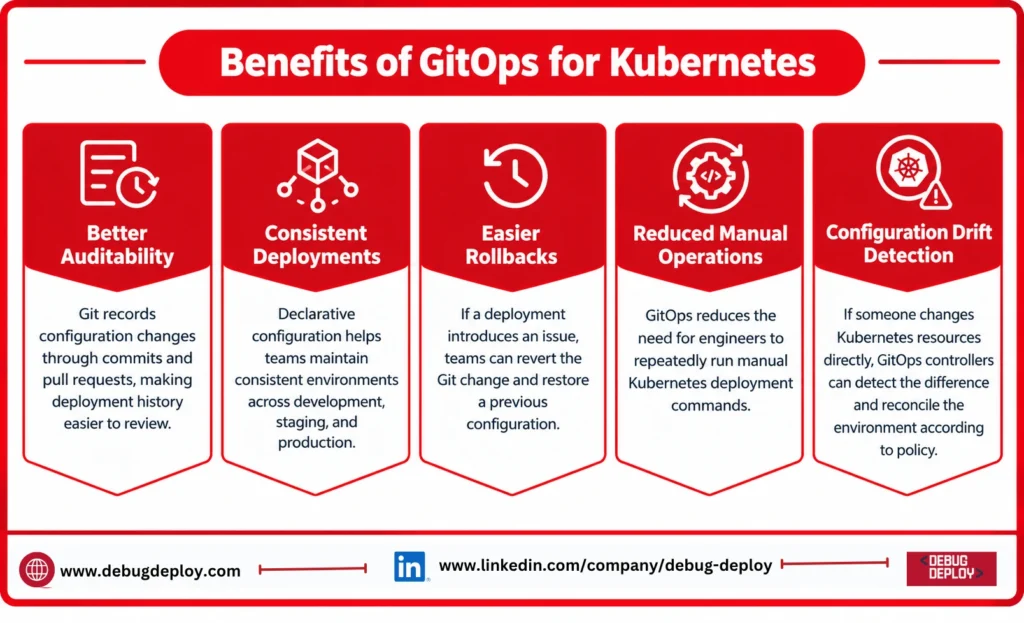
Better Auditability
Git records configuration changes through commits and pull requests, making deployment history easier to review.
Consistent Deployments
Declarative configuration helps teams maintain consistent environments across development, staging, and production.
Easier Rollbacks
If a deployment introduces an issue, teams can revert the Git change and restore a previous configuration.
Reduced Manual Operations
GitOps reduces the need for engineers to repeatedly run manual Kubernetes deployment commands.
Configuration Drift Detection
If someone changes Kubernetes resources directly, the cluster can differ from the configuration stored in Git. GitOps controllers can detect this difference and reconcile the environment according to the configured policy.
GitOps Best Practices
Organizations implementing GitOps should follow a few important practices.
Use pull requests for deployment changes. This provides review and approval before production configuration is modified.
Separate environments. Keep development, staging, and production configurations organized.
Protect production branches. Use access controls and branch protection to limit unauthorized changes.
Manage secrets securely. Do not store passwords, API keys, or sensitive credentials as plain text in Git.
Monitor synchronization. Track failed deployments, unhealthy applications, and reconciliation errors.
Keep repositories organized. Use Helm, Kustomize, and clear directory structures to manage configuration as environments grow.
Common GitOps Challenges
Although GitOps can make Kubernetes operations easier, teams should prepare for a number of obstacles.
Complex repositories with several configuration files can be produced by large Kubernetes deployments. Extra security measures are also necessary for secret management.
Additionally, teams need to comprehend reconciliation behavior. The intended state recorded in Git may clash with a manual modification made directly to a cluster.
Another crucial factor is repository governance. Pull request reviews, deployment policies, branching techniques, and access rights should all be well-defined.
How to Choose Between Argo CD and Flux
Before selecting a GitOps platform, consider questions such as:
Do we need a graphical dashboard?
How many Kubernetes clusters will we manage?
Do we use Helm or Kustomize?
Do we require automated container image updates?
How will Git repositories be structured?
How will secrets be managed?
Which CI/CD tools are already in use?
Who will operate the GitOps platform?
Both Argo CD and Flux can support production Kubernetes workflows. The appropriate option depends on the organization’s technical and operational requirements.
The Future of GitOps
Automated configuration management is becoming more and more crucial as businesses embrace Kubernetes, multi-cloud infrastructure, platform engineering, and Infrastructure as Code.
Internal developer platforms may also be built on top of GitOps. While developers handle application releases using well-known Git-based procedures, platform teams can establish standardized deployment routines.
This makes GitOps more than a deployment technique. It can become an important part of modern cloud-native operations.
Conclusion
Using Git as the source of truth for application and infrastructure settings, GitOps offers an organized method for managing Kubernetes installations.
By automating the synchronization between Git and Kubernetes, Argo CD and Flux assist teams in developing deployment procedures that are more reliable, repeatable, and auditable.
While Flux offers a modular, Kubernetes-native controller architecture, Argo CD offers an application-focused strategy with a robust visual management interface.
Organizations may create scalable cloud-native application delivery processes and minimize manual deployment effort by integrating Git, Kubernetes, CI/CD, and GitOps solutions like Argo CD or Flux.
Want to Master GitOps & Kubernetes Deployment Automation?
Learn how to implement GitOps workflows for scalable, secure, and automated Kubernetes deployments with guidance from a Microsoft Certified Trainer (MCT). Build practical skills in Kubernetes, Git-based deployment workflows, continuous delivery, infrastructure automation, monitoring, and cloud-native application management.
Recommended Microsoft Azure, Cloud & DevOps Certification Programs:
AZ-204: Developing Solutions for Microsoft Azure
AZ-104: Microsoft Azure Administrator
AZ-305: Designing Microsoft Azure Infrastructure Solutions
AZ-900: Microsoft Azure Fundamentals
Live Instructor-Led Training
GitOps & Kubernetes Deployment Skills
Argo CD & Flux Continuous Delivery
Git-Based Infrastructure & Configuration Management
Kubernetes Automation, Security & Monitoring
Real-World Cloud-Native Projects
Certification Preparation & Career Guidance
– Email: trainings@debugdeploy.com
– WhatsApp: Contact us for quick assistance
Build your GitOps and Kubernetes expertise and learn how to automate, manage, and continuously deliver cloud-native applications using Git, Kubernetes, Argo CD, and Flux.