
Identity management and data security are now top issues for contemporary businesses as they continue to implement cloud-native infrastructure in 2026. Today’s businesses handle enormous volumes of sensitive data in global applications, hybrid infrastructures, remote work systems, and distributed cloud environments. To safeguard contemporary cloud workloads, traditional authentication techniques based on passwords, local identities, and antiquated directory systems are no longer adequate.
With sophisticated authentication solutions like Azure Files Entra-Only IDs, Microsoft Azure keeps enhancing cloud-native identity and security capabilities to meet these concerns. This strategy aids businesses in enhancing security, streamlining identity management, lowering reliance on conventional infrastructure, and enhancing compliance in cloud storage settings.
Azure Files Entra-Only authentication enables businesses to use Microsoft Entra ID identities directly for accessing Azure file shares without relying on traditional on-premises Active Directory services. This modern identity model supports cloud-native security strategies while improving operational flexibility and reducing infrastructure complexity.
What Is Azure Files?
Azure Files is a fully managed cloud file-sharing service provided by Microsoft Azure. It allows organizations to create shared file storage that can be accessed securely from:
Cloud applications
Virtual machines
Hybrid environments
Remote work systems
On-premise infrastructure
Azure Files supports common file-sharing protocols such as SMB (Server Message Block) and NFS (Network File System), making it suitable for enterprise applications, collaboration systems, backups, and shared storage workloads.
What Is Microsoft Entra ID?
Microsoft Entra ID, previously known as Azure Active Directory, is Microsoft’s cloud-based identity and access management platform.
Entra ID helps organizations:
Manage user identities
Control authentication
Enable single sign-on (SSO)
Apply security policies
Protect access to cloud resources
Implement Zero Trust security models
Entra ID has become one of the most important components of modern cloud security architectures.
What Are Entra-Only Identities?
Entra-Only identities allow organizations to authenticate users directly through Microsoft Entra ID without depending on traditional on-premises Active Directory Domain Services (AD DS).
This means organizations can:
Reduce reliance on legacy identity infrastructure
Simplify cloud-native authentication
Improve security posture
Support remote and hybrid work environments
Enable centralized identity management
Azure Files Entra-Only authentication modernizes file-sharing security by integrating cloud-native identity services directly into storage access systems.
Why Cloud-Native Identity Matters in 2026
Modern businesses increasingly operate in:
Hybrid cloud environments
Multi-cloud architectures
Remote work environments
Global digital ecosystems
Traditional identity systems often create challenges such as:
Complex infrastructure management
Security vulnerabilities
Limited scalability
High operational costs
Increased attack surfaces
Cloud-native identity solutions improve flexibility, scalability, and security while supporting modern digital transformation initiatives.
Benefits of Azure Files Entra-Only Authentication
1. Improved Security
One of the biggest advantages of Entra-Only identities is stronger security.
Organizations can implement:
Multi-factor authentication (MFA)
Conditional access policies
Identity protection
Zero Trust principles
Risk-based authentication
These features help reduce risks related to password theft, phishing attacks, and unauthorized access.
2. Reduced Dependency on Legacy Infrastructure
Traditional Active Directory environments often require:
Domain controllers
VPN connections
Complex synchronization systems
On-premises management
Entra-Only identities reduce the need for legacy identity infrastructure, simplifying IT operations significantly.
3. Better Support for Remote and Hybrid Work
Remote work continues growing globally in 2026. Cloud-native identity systems allow users to securely access file shares from anywhere without depending heavily on internal corporate networks.
This improves:
Accessibility
User productivity
Collaboration efficiency
Security management
4. Simplified Identity Management
Entra ID centralizes identity and access management across cloud resources.
Administrators can:
Manage permissions centrally
Apply security policies consistently
Monitor user activity
Control file share access more effectively
Centralized management improves operational efficiency and governance.
5. Stronger Compliance and Governance
Many industries must follow strict compliance standards related to identity management and data security.
Azure Entra ID supports:
Audit logging
Access reviews
Compliance monitoring
Security reporting
Regulatory requirements
These capabilities help organizations strengthen governance and reduce compliance risks.
How Azure Files Entra-Only Authentication Works
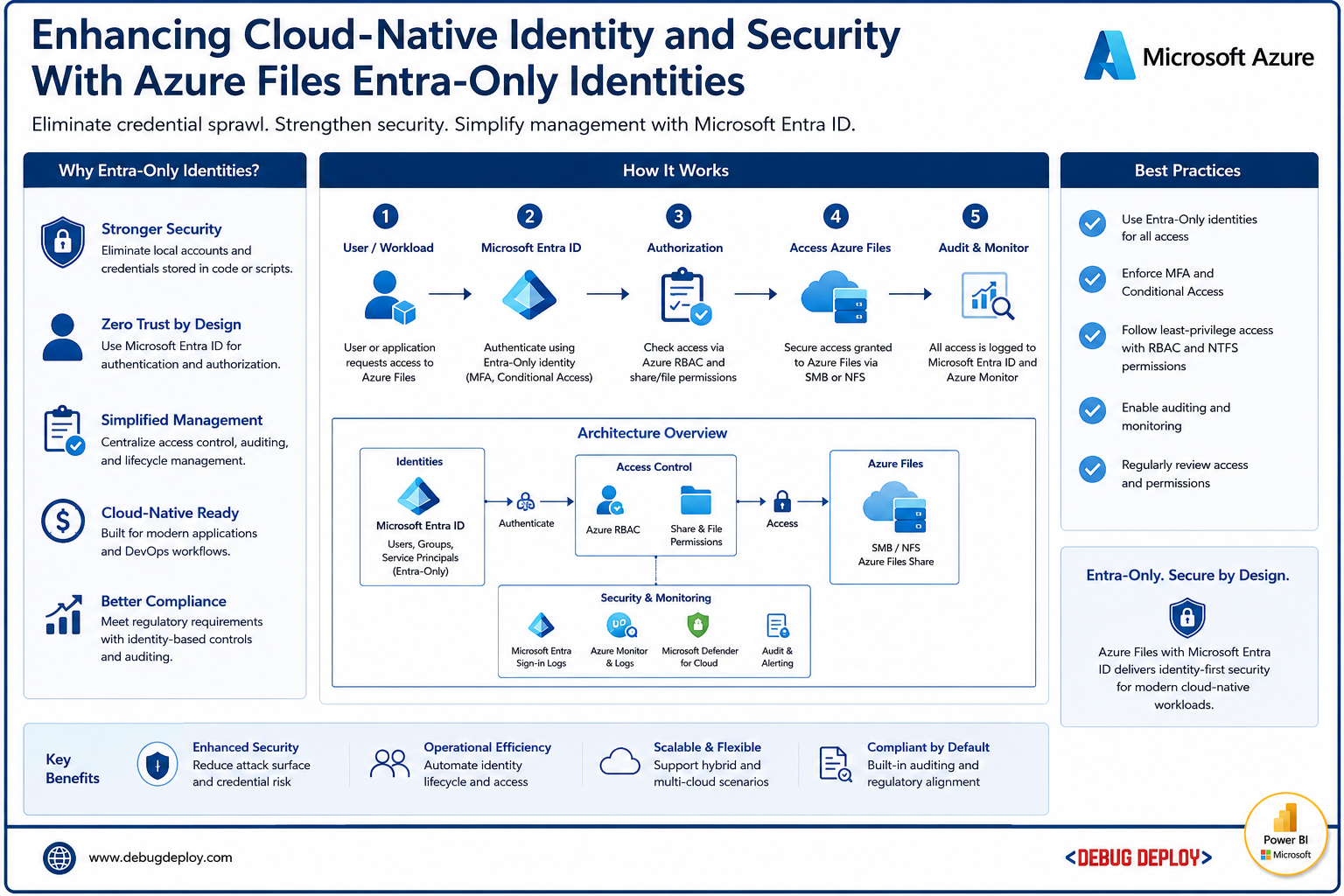
Azure Files Entra-Only authentication allows users to access Azure file shares using cloud-native identities managed through Microsoft Entra ID.
The process generally includes:
User authentication through Entra ID
Identity verification using cloud-based authentication
Access authorization based on assigned permissions
Secure access to Azure file shares
This eliminates the need for traditional Active Directory domain dependency in many scenarios.
Security Features Supporting Entra-Only Access
Azure integrates multiple security capabilities with Entra-Only authentication including:
Multi-Factor Authentication (MFA)
Adds additional verification steps beyond passwords.
Conditional Access
Applies access policies based on user behavior, device status, or location.
Role-Based Access Control (RBAC)
Allows organizations to assign permissions based on user roles.
Encryption
Protects data during storage and transmission.
Identity Protection
Detects suspicious authentication activity and risky sign-ins.
These layers improve overall cloud storage security.
Zero Trust Security Integration
Azure Files Entra-Only authentication aligns closely with Zero Trust security principles.
Zero Trust focuses on:
Verifying every identity
Limiting user permissions
Monitoring access continuously
Securing every connection
This approach improves protection for modern cloud-native workloads.
Industries Benefiting From Cloud-Native Identity Solutions
Many industries benefit from Azure Files Entra-Only identities including:
Healthcare
Financial services
Government
Retail
Manufacturing
Education
Technology companies
These industries require secure access to sensitive business and customer data.
Common Challenges Solved by Entra-Only Identities
Azure Files Entra-Only authentication helps organizations address challenges such as:
Legacy identity dependency
Complex VPN requirements
Weak password-based security
Remote access limitations
Identity sprawl
Compliance management complexity
Modern cloud-native authentication simplifies infrastructure while improving protection.
Best Practices for Secure Azure Files Deployment
Organizations should follow best practices such as:
Enabling multi-factor authentication
Applying least-privilege access policies
Monitoring authentication activity
Encrypting sensitive file shares
Using conditional access policies
Reviewing permissions regularly
Implementing Zero Trust strategies
Strong identity security improves overall cloud resilience.
Future of Cloud-Native Identity in 2026
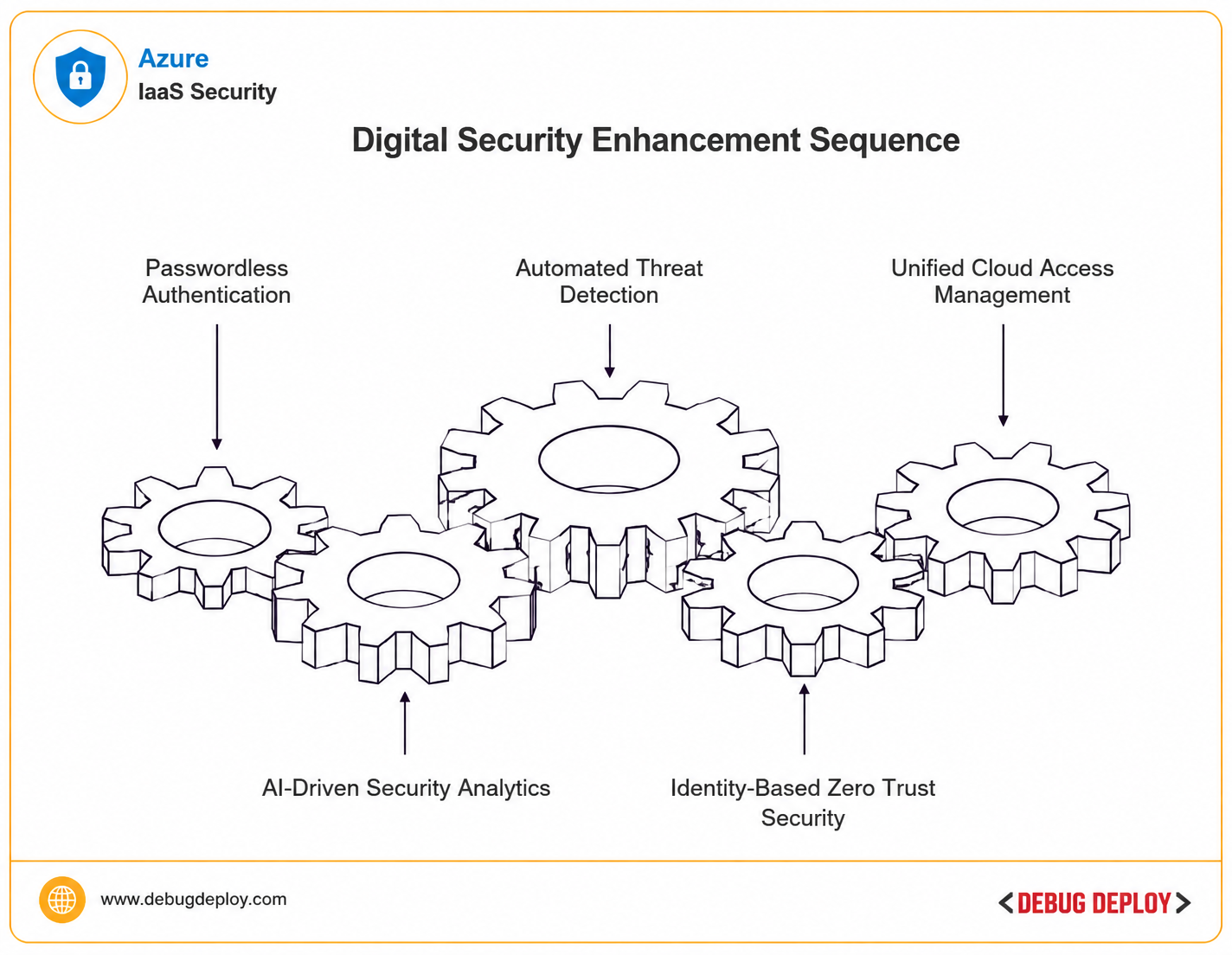
Cloud-native identity management continues evolving rapidly as organizations prioritize:
Passwordless authentication
AI-driven security analytics
Automated threat detection
Identity-based Zero Trust security
Unified cloud access management
Modern identity systems are becoming central to enterprise cybersecurity strategies.
Microsoft continues investing heavily in Entra ID and cloud-native authentication technologies to support secure digital transformation.
Conclusion
For contemporary businesses, Azure Files Entra-Only IDs are a significant development in cloud-native identity and security. Azure enhances security, streamlines identity management, and facilitates scalable cloud operations by enabling enterprises to authenticate users directly with Microsoft Entra ID without significantly depending on conventional Active Directory infrastructure. Cloud-native identity solutions like Entra-Only authentication will be essential for protecting sensitive data, enhancing compliance, and facilitating safe digital transformation across enterprise environments in 2026 as businesses continue to update their infrastructure and implement remote work models.
Want to Strengthen Your Azure Identity and Cloud Security Skills?
Get trained by a Microsoft Certified Trainer (MCT) and learn how to build secure, cloud-native environments with Microsoft Azure identity, access management, and security best practices.
Recommended Microsoft Azure Certification Programs:
AZ-900: Microsoft Azure Fundamentals
AZ-104: Microsoft Azure Administrator
AZ-500: Microsoft Azure Security Technologies
✅ Live Instructor-Led Training
✅ Microsoft Entra Identity & Access Management Concepts
✅ Azure Storage & File Services Security Fundamentals
✅ Cloud-Native Security Best Practices
✅ Zero Trust & Identity Protection Strategies
✅ Certification Exam Preparation & Guidance
📧 Email: trainings@debugdeploy.com
📱 WhatsApp: Contact us for quick assistance
Build secure Azure cloud environments and strengthen your identity and security expertise for modern cloud infrastructure.