
Cloud computing has become an essential component of contemporary corporate infrastructure. Cloud platforms are used by businesses to run databases, host applications, store data, support artificial intelligence tasks, and provide digital services to clients all over the world. Selecting a cloud provider that can offer dependable, highly available, and high-performing infrastructure has become more crucial as companies shift away from traditional data centers.
Amazon Web Services (AWS) and Microsoft Azure are two of the top cloud systems. Both offer powerful networking, storage, security, monitoring, disaster recovery capabilities, scalable computing resources, and worldwide infrastructure. They do, however, provide different services, structures, management tools, and integrations.
In order to help organizations choose which platform could be more appropriate for their needs in 2026, this Azure vs. AWS comparison looks at cloud reliability, availability, performance, networking, storage, databases, security, disaster recovery, and use cases.
What Are Cloud Reliability, Availability, and Performance?
It’s crucial to comprehend these three ideas before contrasting Azure with AWS.
The capacity of a platform to function consistently and bounce back from infrastructure faults is referred to as cloud reliability. Data loss and application failures are less likely with a dependable cloud architecture.
The consistency with which users may access apps and services is referred to as cloud availability. Redundancy, load balancing, various availability zones, and disaster recovery techniques all contribute to high availability.
The effectiveness with which databases, networks, storage, and apps handle workloads is referred to as cloud performance. Performance can be impacted by a number of factors, including application architecture, network latency, storage performance, and processing power.
It is crucial to keep in mind that selecting AWS or Azure by themselves does not ensure performance or dependability.
Azure vs AWS: Global Infrastructure
Both AWS and Azure run vast worldwide cloud infrastructures that are intended to assist companies in various geographical areas.
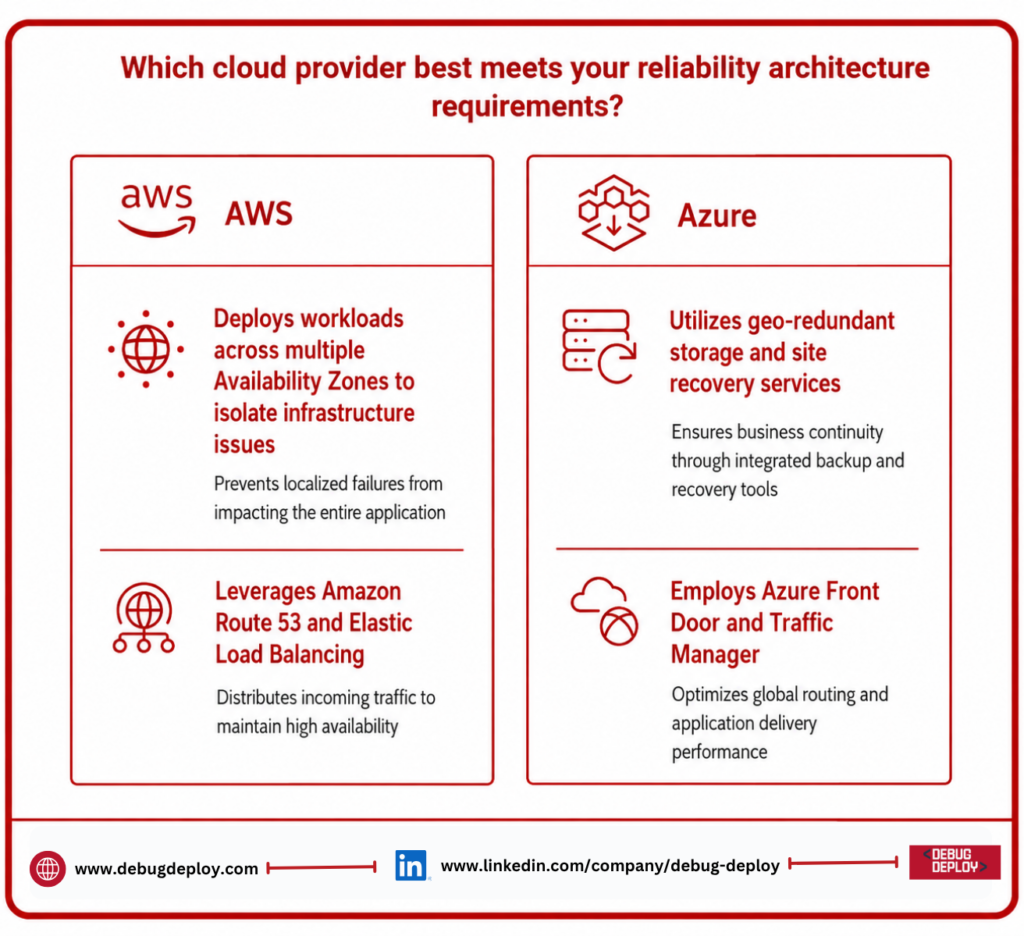
AWS arranges its infrastructure according to Availability Zones and Regions. Organizations may spread applications and lessen the effect of infrastructure failures by utilizing the numerous isolated Availability Zones found in an AWS Region.
Azure also makes use of Availability Zones and Regions. While region-pair concepts can assist disaster recovery and business continuity plans, supported Azure regions can offer physically distinct availability zones.
Reliability Comparison
Reliability is essential for applications that need continuous operation.
AWS Reliability
AWS provides several services and architectural capabilities for building reliable applications, including:
Availability Zones
Elastic Load Balancing
Auto Scaling
Amazon Route 53
Multi-region architectures
Automated backups
Cross-region replication
Infrastructure monitoring
Businesses can deploy workloads across multiple Availability Zones so that an infrastructure issue in one zone does not necessarily affect the entire application.
Azure Reliability
Azure provides similar capabilities through:
Availability Zones
Virtual Machine Scale Sets
Azure Load Balancer
Azure Front Door
Azure Traffic Manager
Azure Backup
Azure Site Recovery
Geo-redundant storage
Both platforms allow businesses to build resilient cloud architectures. The actual reliability achieved depends on application design, redundancy, monitoring, and recovery planning.
Availability: Azure vs AWS
For e-commerce websites, financial applications, healthcare systems, SaaS platforms, and other services where downtime can directly impact revenue and customer trust, high availability is very crucial.
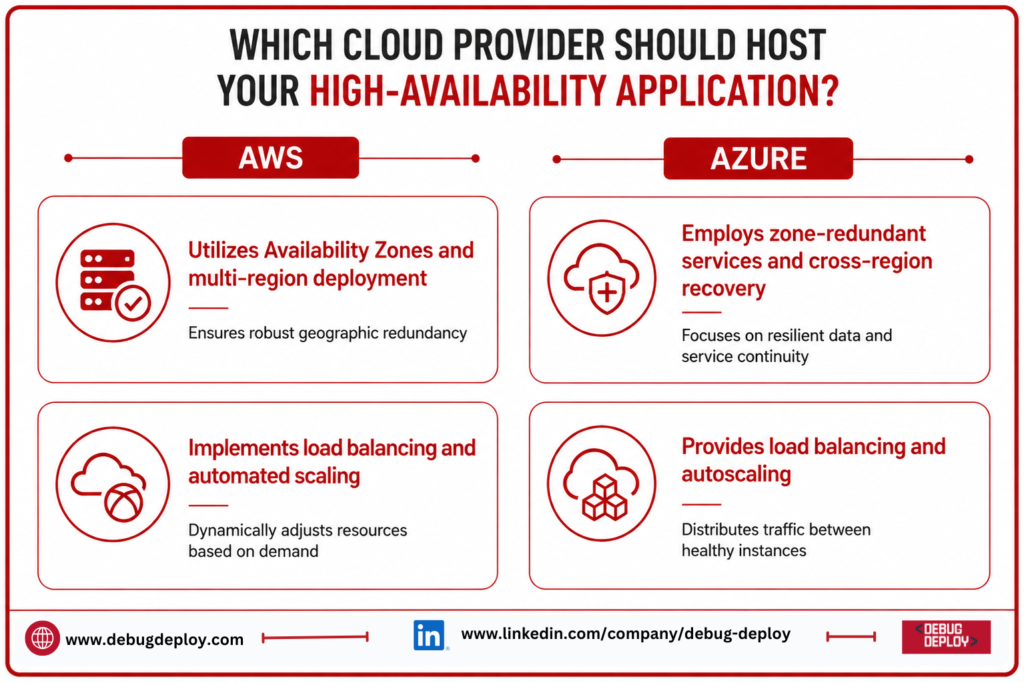
Availability zones, load balancing, automated scaling, redundant storage, and multi-region deployment are some of the ways that AWS provides high availability.
Availability zones, load balancing, autoscaling, zone-redundant services, and cross-region recovery solutions are some of the equivalent features offered by Azure.
For instance, an enterprise can deploy numerous instances of an application across different availability zones rather than operating it on a single virtual server. After that, traffic can be split across instances that are healthy.
Therefore, both Azure and AWS can support highly available applications when the architecture is properly designed.
Performance Comparison
CPU and memory resources, storage configuration, application architecture, database performance, network latency, and geographic location are some of the variables that affect cloud performance.
For general-purpose, compute-intensive, memory-intensive, storage-intensive, and GPU-based workloads, AWS offers a wide range of Amazon EC2 instance types.
For various application needs, Azure provides an equally wide variety of Azure Virtual Machine configurations.
Networking Performance
Networking can significantly influence application performance, especially for applications that communicate with users, databases, APIs, and storage services across different regions.
AWS provides services such as:
Amazon VPC
Elastic Load Balancing
AWS Direct Connect
Amazon CloudFront
Amazon Route 53
Azure provides:
Azure Virtual Network
Azure Load Balancer
Azure ExpressRoute
Azure Front Door
Azure Traffic Manager
For applications serving users in multiple locations, choosing a cloud region close to the target audience can reduce latency and improve responsiveness.
Storage Reliability and Performance
Another crucial consideration when comparing Azure and AWS is cloud storage.
Storage services like Amazon S3, Amazon EBS, Amazon EFS, and Amazon FSx are offered by AWS. Data lakes, backups, object storage, and application data are all common uses for Amazon S3.
Azure provides Azure Files, Azure Data Lake Storage, Azure Managed Disks, and Azure Blob Storage.
Redundancy options and several storage classes are provided by both suppliers. Businesses can choose storage configurations based on budget, performance, availability, and frequency of access.
Database Reliability and Performance
Databases are often at the center of business-critical applications.
AWS offers services such as:
Amazon RDS
Amazon Aurora
Amazon DynamoDB
Amazon Redshift
Azure provides:
Azure SQL Database
Azure SQL Managed Instance
Azure Database for PostgreSQL
Azure Database for MySQL
Azure Cosmos DB
Both systems provide managed database services with features like high availability, replication, automated backups, and scalability.
Azure’s integration with Microsoft’s ecosystem may make it especially useful for businesses who currently utilize SQL Server and Microsoft technologies. AWS is ideal for businesses with a variety of technological contexts and offers a wide range of database options.
Monitoring and Reliability Management
Organizations can detect infrastructure and performance issues before they cause significant outages by using continuous monitoring.
Amazon CloudWatch, AWS CloudTrail, AWS Config, and AWS Health Dashboard are among the services offered by AWS.
Azure offers Microsoft Defender for Cloud, Azure Monitor, Azure Advisor, Azure Service Health, and Azure Resource Health.
Teams can use these services to track the health of applications, monitor infrastructure, examine logs, find configuration problems, and get optimization suggestions.
Regardless of the cloud platform a firm chooses, effective monitoring is crucial.
Disaster Recovery Capabilities
Disaster recovery protects businesses from infrastructure failures, accidental data deletion, cyber incidents, and regional outages.
AWS supports disaster recovery through:
AWS Backup
Elastic Disaster Recovery
Cross-region replication
Multi-region architectures
Amazon S3 replication
Azure provides:
Azure Backup
Azure Site Recovery
Geo-redundant storage
Cross-region replication
Region-based recovery strategies
Organizations should define their Recovery Point Objective (RPO) and Recovery Time Objective (RTO) before designing a disaster recovery architecture.
Security and Cloud Reliability
Because security events can result in downtime, data loss, and service outages, security and reliability are tightly related.
IAM, AWS Shield, AWS WAF, Amazon GuardDuty, and AWS Security Hub are just a few of the security services offered by AWS.
Microsoft Entra ID, Microsoft Defender for Cloud, Azure Firewall, Azure DDoS Protection, Microsoft Sentinel, and Azure Key Vault are all provided by Azure.
Encryption, identity management, access restrictions, network security, monitoring, and compliance features are all offered by both platforms.
Which Platform Is Better for Performance?
The question of whether AWS or Azure provides superior performance has no universally accepted solution. The particular workload and configuration determine performance.
Businesses that need a wide range of cloud services and significant infrastructure flexibility may find AWS appealing. For businesses using Microsoft-based workloads like Windows Server, SQL Server, Microsoft 365, and.NET applications, Azure can be very helpful.
Testing both systems with similar settings, workloads, regions, and network circumstances is the most accurate method.
Azure vs AWS: Which Should You Choose?
If your company already uses AWS extensively, needs a wide range of cloud-native services, or needs broad infrastructure flexibility, go with AWS.
If your company uses a lot of Microsoft products, such as Windows Server, SQL Server, Microsoft 365, Microsoft Entra ID, Power BI, and other Microsoft services, go with Azure.
For either platform, organizations should evaluate:
Application requirements
Customer locations
Availability objectives
Performance requirements
Security and compliance
Existing technology investments
Disaster recovery needs
Cloud expertise
Total cost of ownership
Best Practices for Cloud Reliability and Performance
Regardless of whether you choose AWS or Azure, follow these best practices:
Deploy critical workloads across multiple availability zones.
Use load balancing to distribute application traffic.
Configure autoscaling where appropriate.
Monitor infrastructure and application performance continuously.
Implement automated backups.
Test disaster recovery procedures regularly.
Select regions close to your users.
Optimize databases and storage configurations.
Apply strong identity and access controls.
Review cloud resource usage and costs regularly.
These practices can significantly improve application resilience, availability, and performance.
Conclusion
In 2026, both Azure and AWS will be able to offer extremely dependable, accessible, and high-performing cloud infrastructure. While Azure offers robust enterprise capabilities and tight integration with Microsoft’s technology ecosystem, AWS delivers a mature ecosystem of cloud services and a wide range of infrastructure options.
There isn’t a single platform that works best for every company when comparing Azure vs AWS in terms of performance, availability, and dependability. Your workload requirements, application architecture, customer locations, security requirements, current technology investments, disaster recovery goals, and technical proficiency all influence the best option.
Businesses should assess their unique workloads and, if needed, carry out real testing before choosing a supplier based only on benchmark claims or pricing. Both Azure and AWS can offer the dependability and performance needed to support contemporary corporate applications and digital transformation projects with the right design, redundancy, monitoring, security, and optimization.
Want to Build Reliable and High-Performance Cloud Solutions with Microsoft Azure?
Learn how to design, manage, and optimize reliable Microsoft Azure cloud environments with guidance from a Microsoft Certified Trainer (MCT). Develop practical skills to improve cloud availability, performance, scalability, security, and business continuity.
Recommended Microsoft Azure Certification Programs:
AZ-900: Microsoft Azure Fundamentals
AZ-104: Microsoft Azure Administrator
AZ-305: Designing Microsoft Azure Infrastructure Solutions
AZ-500: Microsoft Azure Security Technologies
✅ Live Instructor-Led Training
✅ Azure Infrastructure & Cloud Architecture Skills
✅ High Availability & Disaster Recovery Concepts
✅ Azure Monitoring & Performance Optimization
✅ Cloud Security, Governance & Reliability Best Practices
✅ Certification Exam Preparation & Career Guidance
📧 Email: trainings@debugdeploy.com
📱 WhatsApp: Contact us for quick assistance
Build the Azure expertise needed to design secure, scalable, highly available, and high-performance cloud environments for modern business workloads.