
Cloud-based virtual desktops are now a crucial component of contemporary IT architecture. Without giving each user a powerful real computer, organizations may accommodate remote workers, hybrid teams, contractors, students, and distributed workforces via virtual desktop services.
Azure Virtual Desktop (AVD) from Microsoft Azure and Amazon WorkSpaces from AWS are two well-liked options. Both offer scalable infrastructure, security controls, remote application access, and desktops hosted in the cloud. Their architecture, management, cost, integrations, and adaptability, however, are different.
The features, performance, cost, security, scalability, and use cases of Amazon WorkSpaces and Azure Virtual Desktop are compared in this guide.
What Are Amazon WorkSpaces?
AWS offers a managed Desktop-as-a-Service called Amazon WorkSpaces. It enables companies to set up cloud-hosted desktops that workers may access from compatible devices.
Organizations can use AWS to supply virtual desktops in place of buying physical PCs and maintaining desktop infrastructure. While apps and data stay in the organization’s protected cloud environment, users can access their work environment from many locations.
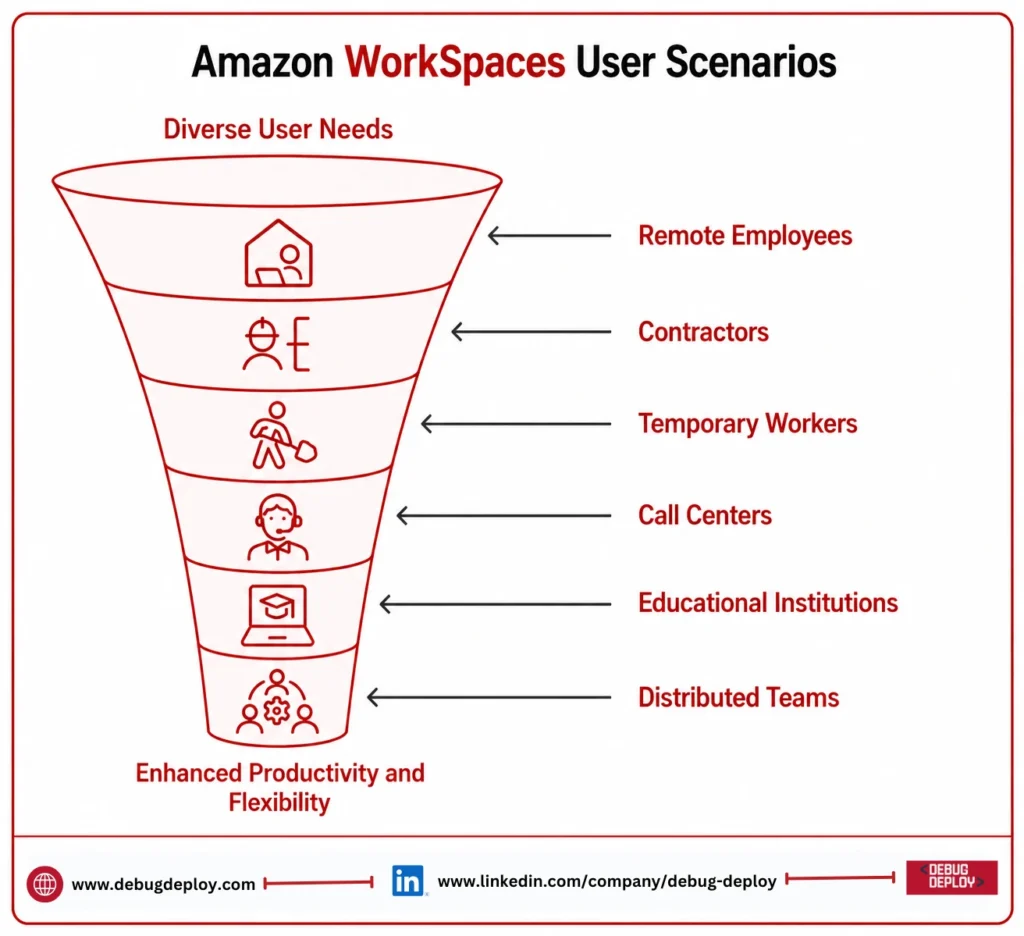
Amazon WorkSpaces can be useful for:
Remote employees
Contractors
Temporary workers
Call centers
Educational institutions
Distributed teams
It is particularly attractive to organizations already using AWS services and looking for a managed virtual desktop solution.
What Is Azure Virtual Desktop?
Microsoft’s cloud-based desktop and application virtualization solution is called Azure Virtual Desktop. It enables businesses to offer full Windows desktops or specific apps via the cloud.
AVD may deploy apps via RemoteApp and supports both personal and pooled desktop environments. Microsoft Entra ID, Microsoft 365, Windows, Microsoft Intune, and Azure security services are all intimately integrated with Microsoft’s ecosystem.
Businesses that currently rely significantly on Windows and Microsoft technology may find Azure Virtual Desktop very helpful.
Amazon WorkSpaces vs Azure Virtual Desktop: Key Difference
The degree of desktop flexibility and integration offered by each platform is the primary distinction.
The primary goal of Amazon WorkSpaces is to offer managed cloud desktops with easier administration. It is appropriate for businesses who wish to supply PCs without having to handle conventional physical infrastructure.
A more comprehensive desktop and application virtualization platform is offered by Azure Virtual Desktop. For businesses that require Windows desktops, application streaming, pooled environments, and customized desktop architectures, it provides greater flexibility.
When deciding between them, your current cloud environment should be a major consideration.
Features Comparison
Both platforms provide essential virtual desktop capabilities, including remote access, centralized administration, security, and cloud scalability.
Amazon WorkSpaces Features
Amazon WorkSpaces provides:
Managed cloud desktops
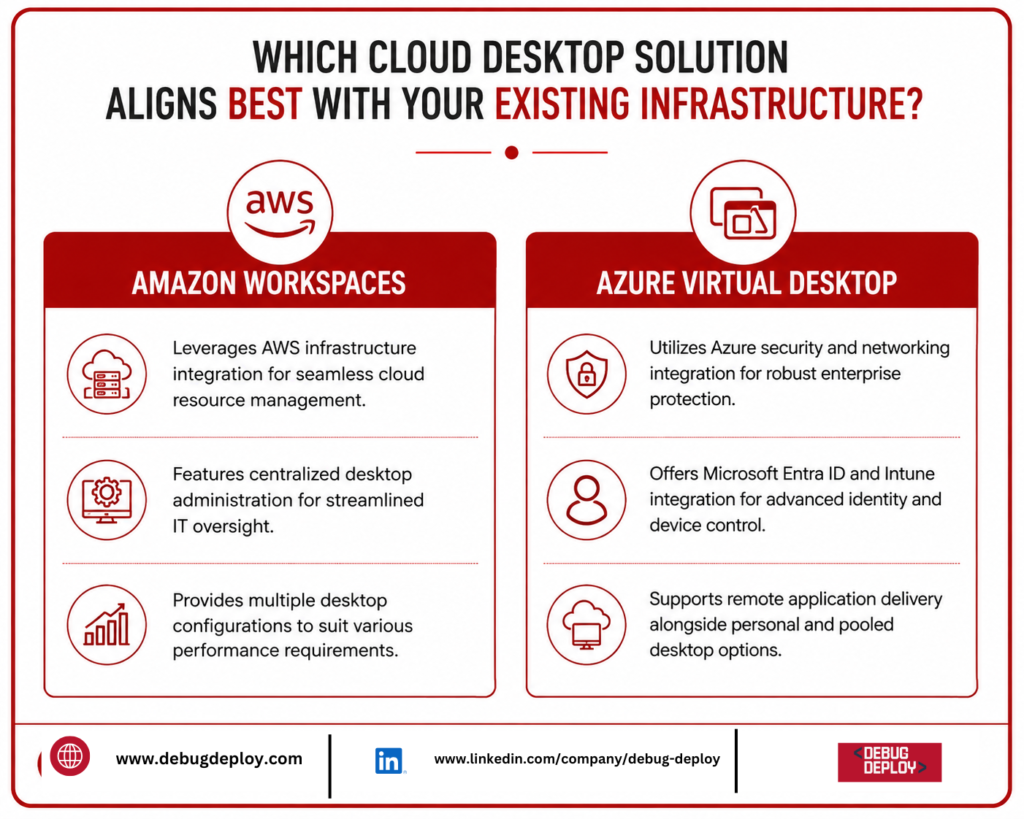
Multiple desktop configurations
Directory integration
Centralized desktop administration
Remote access from supported devices
AWS infrastructure integration
Different billing and usage options
Azure Virtual Desktop Features
Azure Virtual Desktop provides:
Windows virtual desktops
Remote application delivery
Personal and pooled desktops
Host pools
Microsoft Entra ID integration
Microsoft Intune integration
Microsoft 365 integration
Azure security and networking integration
AVD generally provides greater flexibility for organizations that want to customize their Windows desktop environment.
Performance Comparison
The number of concurrent users, storage, network quality, desktop settings, and program requirements all affect performance.
Different desktop configurations for a range of tasks are offered by Amazon WorkSpaces. Depending on whether users require more complex software, development environments, data analysis tools, or simple productivity programs, organizations can choose resources.
Azure Virtual Desktop offers a variety of VM setups and makes use of Azure virtual machines. Businesses can choose resources according to workload, graphics, memory, CPU, and storage needs.
When set up correctly, both platforms can offer robust performance for common office applications. Businesses should do real-world testing prior to implementation for demanding workloads like CAD, engineering, graphics, or data visualization.
Scalability
One of the main advantages of cloud desktops is scalability.
As workforce needs change, Amazon WorkSpaces enables businesses to offer PCs. When individuals no longer need access, businesses can delete desktops or add them for new hires.
Session hosts and host pools are used by Azure Virtual Desktop. In pooled settings, several users can share infrastructure, assisting companies in making better use of their resources.
Because desktop resources may be modified in response to demand, AVD can be very helpful for companies with large or fluctuating user populations.
Pricing Comparison
Pricing is an important factor when comparing Amazon WorkSpaces vs Azure Virtual Desktop.
Amazon WorkSpaces pricing can depend on:
Desktop configuration
Operating system
Storage
User requirements
Usage duration
Selected billing model
Azure Virtual Desktop costs can depend on:
Azure virtual machines
Storage
Networking
Number of users
Concurrent sessions
Microsoft licensing
When implementing Azure Virtual Desktop, companies with qualifying Microsoft licenses may benefit from licensing advantages.
A universal pricing winner does not exist. User behavior, desktop specifications, workload needs, licensing, and infrastructure setup all affect the total cost.
Instead of comparing just the base service price, businesses should compute the total cost of ownership.
Security Comparison
Because cloud desktops may give access to private company data and sensitive business apps, security is crucial.
Amazon VPC, security groups, AWS Identity and Access Management, and AWS monitoring tools are just a few of the networking and security services that Amazon WorkSpaces can interface with.
Microsoft security services including Microsoft Entra ID, Microsoft Defender, Microsoft Intune, Azure networking services, and Microsoft Sentinel are all integrated with Azure Virtual Desktop.
Strong identity management, access restrictions, encryption, network security, and monitoring are all supported by both platforms.
Organizations should select the platform that integrates most effectively with their existing security architecture.
Identity and Access Management
Another significant distinction is identity management.
To control desktop access and authenticate users, Amazon WorkSpaces can interface with directory services.
Microsoft Entra ID and Azure Virtual Desktop are well-integrated. In addition to multifactor authentication, conditional access, and role-based access management, organizations can make use of their current Microsoft identities.
AVD can offer a more comfortable identity management experience for companies that already use Windows and Microsoft 365.
Application Compatibility
Prior to choosing a virtual desktop platform, application needs should be taken into account.
Numerous common business applications are supported by Amazon WorkSpaces, depending on the desktop setup and operating system chosen.
Windows-based apps are especially well suited for Azure Virtual Desktop. Companies can offer consumers specific applications or full Windows PCs.
Azure Virtual Desktop may be more practical for businesses that rely significantly on Windows apps, Microsoft 365, and other Microsoft technologies.
Management and Administration
The goal of Amazon WorkSpaces is to make desktop administration easier. Administrators may concentrate on desktop provisioning, users, configurations, and apps because AWS handles a large portion of the underlying infrastructure.
Although it may need more administration, Azure Virtual Desktop offers greater customization. Host pools, session hosts, images, networking, IDs, and other Azure resources may need to be managed by IT teams.
As a result, WorkSpaces might be more appealing to businesses seeking more straightforward managed desktops, whereas AVD might be more suitable for businesses requiring more control and customization.
Amazon WorkSpaces vs Azure Virtual Desktop: Which Is Better?
Choose Amazon WorkSpaces if:
Your organization already uses AWS.
You want a managed cloud desktop service.
You need straightforward desktop provisioning.
Your applications are already hosted in AWS.
You want cloud desktops for employees or contractors.
Choose Azure Virtual Desktop if:
Your organization relies heavily on Microsoft technologies.
You use Windows and Microsoft 365 extensively.
You need complete Windows desktops and applications.
You want greater desktop customization.
You already use Microsoft Entra ID and Azure security services.
Best Practices for Virtual Desktop Deployment
Regardless of which platform you choose, follow these practices:
Select resources according to actual workload requirements.
Enable strong identity and access controls.
Use multifactor authentication.
Monitor desktop performance and resource utilization.
Secure network connections.
Keep operating systems and applications updated.
Review user permissions regularly.
Optimize scaling to control cloud costs.
Test applications before large-scale deployment.
Monitor cloud usage and spending.
These practices can improve security, performance, reliability, and cost efficiency.
Conclusion
Although they are both capable cloud-based desktop technologies, Amazon WorkSpaces and Azure Virtual Desktop cater to various organizational requirements. AWS-focused businesses seeking simple cloud desktop deployment may find Amazon WorkSpaces, a managed service, especially appealing. For businesses that have already made investments in Microsoft 365, Windows, Microsoft Entra ID, and Azure, Azure Virtual Desktop offers more extensive Windows desktop and application virtualization features.
Businesses should consider features, performance, cost, licensing, security, application compatibility, scalability, and administrative needs when contrasting Amazon WorkSpaces and Azure Virtual Desktop.
For any organization, there isn’t a single optimal answer. Businesses may identify which platform offers the best balance of performance, security, flexibility, user experience, and overall cost by conducting a practical proof of concept utilizing actual users and workloads.
Want to Master Microsoft Azure Virtual Desktop and Cloud Workspace Solutions?
Learn how to design, deploy, manage, and optimize Azure Virtual Desktop (AVD) environments with guidance from a Microsoft Certified Trainer (MCT). Build practical skills for secure remote desktops, application delivery, scalability, and modern workplace solutions.
Recommended Microsoft Azure Certification Programs:
AZ-900: Microsoft Azure Fundamentals
AZ-104: Microsoft Azure Administrator
AZ-140: Configuring and Operating Microsoft Azure Virtual Desktop
AZ-305: Designing Microsoft Azure Infrastructure Solutions
✅ Live Instructor-Led Training
✅ Azure Virtual Desktop Deployment & Management
✅ Virtual Desktop & Application Delivery Concepts
✅ Identity, Security & Access Management
✅ Performance, Scalability & Cost Optimization
✅ Certification Exam Preparation & Career Guidance
📧 Email: trainings@debugdeploy.com
📱 WhatsApp: Contact us for quick assistance
Build modern Azure Virtual Desktop skills to deliver secure, scalable, high-performance virtual workspaces and support the future of remote and hybrid work.