
Cloud computing has completely changed how companies give workers access to digital workspaces and applications. Organizations can employ cloud-based application and desktop virtualization services in place of installing software on individual PCs or maintaining a sizable desktop infrastructure. Customers, workers, contractors, and students may all safely access apps from various devices and places thanks to these solutions.
Amazon Web Services (AWS) and Microsoft Azure are two significant cloud providers that offer solutions in this field. While Microsoft Azure offers Azure Virtual Desktop (AVD) for cloud-based virtual desktops and applications, AWS offers Amazon AppStream 2.0, a managed application streaming solution.
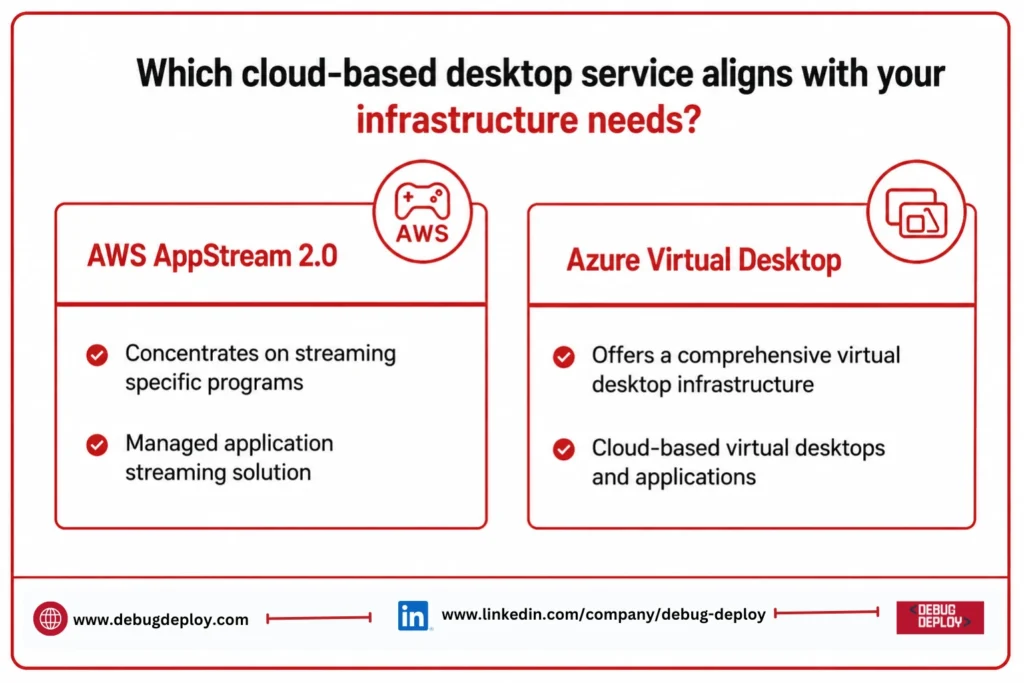
Despite the fact that both systems allow remote access, their design priorities differ. Azure Virtual Desktop offers a more comprehensive virtual desktop infrastructure experience, whereas AWS AppStream primarily concentrates on streaming specific programs. Organizations may choose the best platform based on their apps, users, security needs, and current cloud environment by being aware of these variations.
What Is AWS AppStream 2.0?
Amazon AppStream 2.0 is a fully managed application streaming solution that enables businesses to provide users with desktop apps from AWS via a web browser or compatible client. Users don’t need to install the software on their local devices in order to engage with the applications, which run on AWS infrastructure.
Organizations that need to grant access to specialist applications, such as engineering software, design tools, financial applications, educational programs, and development environments, may find AppStream helpful. While consumers have a uniform application experience, IT teams can centrally manage infrastructure and application versions.
One of AppStream’s primary benefits is that companies can get users access to applications without having to set up a full desktop environment.
What Is Azure Virtual Desktop?
Microsoft’s cloud-based desktop and application virtualization solution is called Azure Virtual Desktop. It enables businesses to provide consumers with individual apps or full Windows desktop environments via the cloud.
Remote apps, shared desktop environments, and personal desktops are all supported by Azure Virtual Desktop. It has tight integration with Microsoft’s larger ecosystem, which includes Windows, Microsoft Intune, Microsoft Entra ID, Microsoft 365, and Azure security services.
Because of this, companies that already heavily rely on Microsoft technology and wish to expand their current infrastructure into a cloud-based desktop environment find Azure Virtual Desktop very appealing.
AWS AppStream vs Azure Virtual Desktop: Key Difference
The principal use case of the two services is the most significant distinction between them.
The main function of AWS AppStream 2.0 is to stream applications. It is perfect when users don’t need a full virtual desktop in order to access particular applications.
Azure Virtual Desktop is intended to offer both individual programs and full Windows desktops. It is more appropriate for businesses seeking a more comprehensive desktop virtualization approach.
For instance, AppStream might be preferred by an engineering firm that must grant access to a single specialized design program. Azure Virtual Desktop may be preferred by a corporation that wants its employees to have full Windows workspaces with Microsoft 365 and business apps.
Features and Application Delivery
Using cloud-hosted application images, AWS AppStream offers centralized application delivery. Without the need for local installation, administrators may set up application environments and grant users access.
Businesses can publish individual Windows programs thanks to Azure Virtual Desktop’s support for RemoteApp application distribution. For customers who require a full Windows workspace, it also offers complete desktop environments.
Although Azure offers a more comprehensive desktop virtualization experience, both systems lessen the need to install and manage individual programs on employee devices.
Performance and User Experience
When choosing a cloud desktop service, performance is a crucial factor. The entire experience might be impacted by variables like application needs, virtual machine settings, network latency, graphics processing, and user location.
Using AWS AppStream, businesses can choose the right AWS instance types according to their workload needs. Applications needing sophisticated graphics processing can be supported by GPU-enabled instances.
Additionally, Azure Virtual Desktop offers a variety of virtual machine configurations, including ones intended for tasks requiring a lot of graphics. Resources can be chosen by organizations according to the number of concurrent users and apps.
For standard productivity applications, both platforms can provide a responsive experience when correctly configured. Organizations running CAD, engineering, video editing, or other demanding applications should conduct performance testing before large-scale deployment.
Scalability
Because cloud-based desktop services allow enterprises to scale infrastructure in response to demand, they offer a significant benefit over traditional physical desktop environments.
Fleets of streaming instances are used by AWS AppStream and can be set up to handle fluctuating user counts. Organizations can reduce unneeded capacity during slower times and offer enough resources during moments of peak consumption by implementing scaling rules.
Azure Virtual Desktop provides desktops and applications thru host pools and session hosts. Scaling capabilities allow organizations to modify resources in response to user behavior and demand.
Both technologies are capable of supporting both enterprise-scale settings and modest installations.
Security Comparison
Because cloud desktop systems can give access to important company applications and data, security is crucial.
AWS Identity and Access Management, Amazon VPC, security groups, AWS Key Management Service, AWS CloudTrail, and Amazon CloudWatch are just a few of the AWS security services that AWS AppStream can interface with. These services can be used by organizations to monitor activities, manage access, and safeguard infrastructure.
Microsoft’s security ecosystem, which includes Microsoft Entra ID, Azure role-based access control, Microsoft Defender, Microsoft Intune, Azure Firewall, and Microsoft Sentinel, is integrated with Azure Virtual Desktop.
Organizations already using Microsoft’s identity and security infrastructure may find Azure Virtual Desktop easier to integrate into existing security policies.
Identity and Access Management
Another significant distinction between the platforms is identity management.
To authenticate users and manage application access, AWS AppStream can interface with compatible directory solutions and AWS identity services.
Organizations may utilize their current Microsoft identities, multifactor authentication, conditional access policies, and role-based access controls thanks to Azure Virtual Desktop’s tight integration with Microsoft Entra ID.
Azure Virtual Desktop can make identity management and user administration easier for businesses who already utilize Windows systems, Microsoft 365, and Entra ID.
Integration With Existing Technology
The choice of platform should be heavily influenced by your current technological environment.
For companies that already run infrastructure and apps on AWS, AWS AppStream is a perfect fit. Services like Amazon S3, Amazon VPC, AWS IAM, AWS Directory Service, and CloudWatch can all be integrated with it.
Microsoft-focused workplaces are especially well-suited for Azure Virtual Desktop. Power BI, Microsoft Teams, Microsoft Intune, Microsoft Entra ID, Microsoft 365, Windows 11, and other Azure services are all integrated with it.
AppStream may simplify integration if a company already has a robust AWS setup. Azure Virtual Desktop might offer a more seamless experience if the company has made significant investments in Microsoft technology.
Pricing Considerations
Although consumption-based cloud pricing is used by both AWS AppStream and Azure Virtual Desktop, overall costs are determined by workload requirements.
The consumption of streaming instances, application storage, fleet settings, and other AWS services utilized by the deployment can all affect the cost of AWS AppStream.
Virtual machine resources, storage, networking, and any necessary Microsoft licensing needs are often included in the price of Azure Virtual Desktop. Through current licensing perks, organizations having qualifying Microsoft licenses may be able to optimize expenses.
Because pricing varies according to user numbers, session length, application needs, storage, and infrastructure design, there is no one-size-fits-all solution. Instead of only comparing the prices of individual services, organizations should consider the entire cost of ownership.
AWS AppStream vs Azure: Which One Should You Choose?
When secure application streaming is the primary need, AWS AppStream is a good option. Specialized applications, short-term users, contractors, educational settings, and businesses that don’t require full virtual desktops can all benefit from it.
When a business needs centralized Windows management, entire Windows desktops, Microsoft 365 integration, or application virtualization in addition to desktop delivery, Azure Virtual Desktop is typically a superior option.
Therefore, rather than just picking one cloud provider over another, the decision should be based on the business needs of the company.
Best Practices for Cloud Desktop Deployment
Regardless of the platform, organizations should follow several best practices:
Evaluate application requirements before selecting virtual machine resources.
Test performance with real applications and representative users.
Implement strong identity and access controls.
Enable multifactor authentication where appropriate.
Monitor resource utilization and user sessions.
Configure automatic scaling to control infrastructure costs.
Protect sensitive information with encryption and appropriate access policies.
Keep application images and operating systems updated.
Establish backup and disaster recovery procedures.
Regularly review cloud usage and costs.
These practices can improve security, performance, reliability, and cost efficiency.
Future of Cloud-Based Desktop Services
As companies embrace hybrid work, remote collaboration, bring-your-own-device settings, and centralized IT management, cloud-based applications and desktop virtualization will continue to expand. These platforms will become more beneficial for enterprise workloads due to advancements in AI-powered administration, automatic scaling, graphics processing, security monitoring, and application delivery.
With the ongoing expansion of their cloud ecosystems, AWS and Microsoft are providing enterprises with additional choices for delivering desktops and apps without only depending on conventional physical infrastructure.
Conclusion
Although both AWS AppStream 2.0 and Azure Virtual Desktop are robust cloud-based desktop programs, their functions are slightly different. AWS AppStream is a great option for specialized software and application-centric deployments since its main goal is to safely stream apps to users. A more comprehensive virtual desktop framework that supports both individual apps and entire Windows environments is offered by Azure Virtual Desktop.
AppStream can be a useful option for AWS-focused businesses that require application streaming. Azure Virtual Desktop might be a preferable option for companies that require full virtual desktops and have already invested in Microsoft 365, Windows, and Microsoft Entra ID. Application requirements, user demands, security expectations, current infrastructure, licensing, scalability, and total cost of ownership ultimately determine which option is best. The best method for figuring out which platform offers your company the best balance of performance, security, flexibility, and affordability is to conduct a practical proof of concept utilizing actual workloads.
Want to Master Cloud-Based Desktop Solutions with Microsoft Azure?
Learn how to design, manage, and optimize Azure virtual desktop and cloud application environments with guidance from a Microsoft Certified Trainer (MCT). Build practical skills to support secure remote access, application delivery, scalability, and modern workplace solutions.
Recommended Microsoft Azure Certification Programs:
AZ-900: Microsoft Azure Fundamentals
AZ-104: Microsoft Azure Administrator
AZ-305: Designing Microsoft Azure Infrastructure Solutions
AZ-140: Configuring and Operating Microsoft Azure Virtual Desktop
✅ Live Instructor-Led Training
✅ Azure Virtual Desktop & Cloud Desktop Skills
✅ Application & Desktop Virtualization Concepts
✅ Security, Identity & Access Management
✅ Azure Infrastructure & Performance Optimization
✅ Certification Exam Preparation & Career Guidance
📧 Email: trainings@debugdeploy.com
📱 WhatsApp: Contact us for quick assistance
Build modern Azure desktop and cloud infrastructure skills to deliver secure, scalable, and flexible virtual workspaces for today's distributed workforce.