
Introduction
One of the most sought-after credentials for prospective data analysts and business intelligence professionals is the PL-300: Microsoft Power BI Data Analyst certification. It verifies your proficiency with Microsoft Power BI for data preparation, modeling, visualization, analysis, and report deployment.
Having a prepared cheat sheet will help you concentrate on the most crucial ideas, whether you’re studying before an exam or getting ready for your first certification attempt. The main subjects that every PL-300 candidate should study are covered in this book, along with helpful advice on how to boost your confidence and prepare for the test.
What Is the PL-300 Certification?
PL-300, officially known as Microsoft Power BI Data Analyst, measures your ability to use Power BI to transform data into meaningful business insights.
The certification focuses on real-world analytical skills, including:
Connecting to multiple data sources
Cleaning and transforming data
Building efficient data models
Creating interactive reports and dashboards
Performing advanced analytics
Managing and securing Power BI assets
The PL-300 exam is ideal for data analysts, business analysts, reporting professionals, and anyone working with business intelligence solutions.
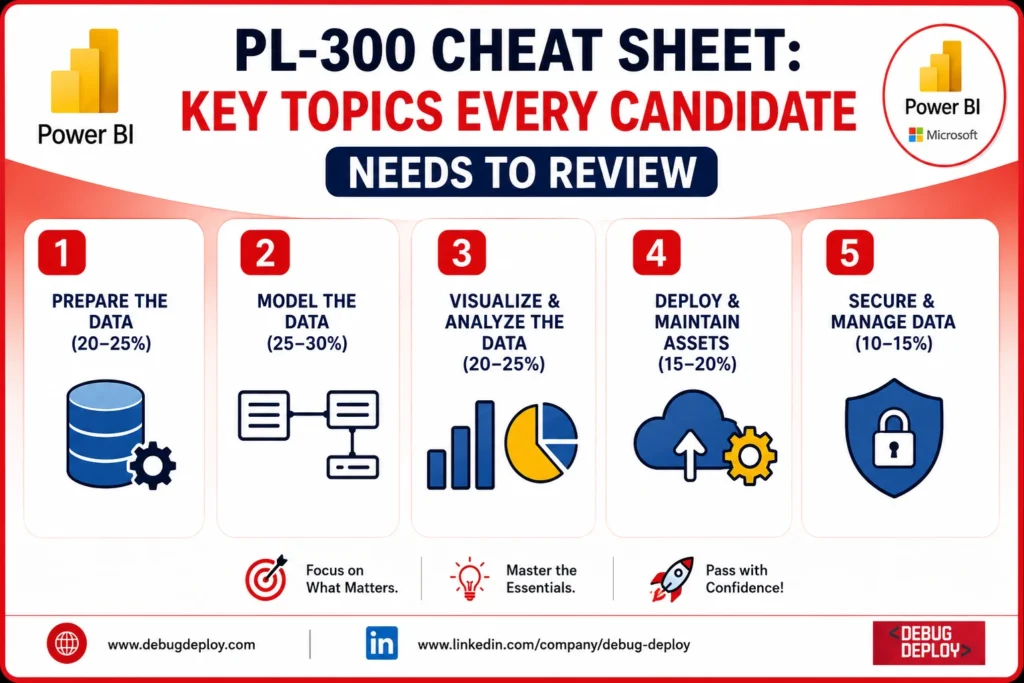
1. Prepare the Data
Data preparation forms a significant portion of the PL-300 exam. Candidates should understand how to connect to various data sources and transform raw data into a clean, usable format.
Key topics to review:
Connecting to Excel, SQL Server, CSV, SharePoint, and cloud data sources
Import mode vs DirectQuery vs Live Connection
Power Query Editor
Data profiling
Removing duplicates
Handling missing values
Changing data types
Merging queries
Appending queries
Splitting and combining columns
Pivot and Unpivot
Query parameters
Data refresh options
Understanding Power Query transformations is essential because clean data leads to accurate reports.
2. Model the Data
Data modeling is one of the most heavily tested areas in the PL-300 exam.
Focus on learning:
Star Schema
Snowflake Schema
Fact tables
Dimension tables
One-to-many relationships
Many-to-many relationships
Cross-filter direction
Active and inactive relationships
Calculated columns
Measures
Hierarchies
Date tables
Cardinality
Candidates should also understand when to use calculated columns versus measures.
3. Master DAX Fundamentals
Understanding filter context and row context is one of the most important DAX concepts tested in the exam.
// DAX Functions Cheat Sheet
Sales Amount =
SUM ( Sales[Amount] )
Average Sales =
AVERAGE ( Sales[Amount] )
Total Orders =
COUNT ( Sales[OrderID] )
Unique Customers =
DISTINCTCOUNT ( Sales[CustomerID] )
Highest Sales =
MAX ( Sales[Amount] )
Lowest Sales =
MIN ( Sales[Amount] )
Category =
IF ( [Sales] > 1000, “High”, “Low” )
Region =
SWITCH (
TRUE(),
[Sales] > 5000, “North”,
[Sales] > 2500, “South”,
“Other”
)
CALCULATE()
FILTER()
ALL()
ALLEXCEPT()
TOTALYTD()
SAMEPERIODLASTYEAR()
DATEADD()
DATESYTD()
SUMX()
AVERAGEX()
COUNTX()
4. Create Powerful Visualizations
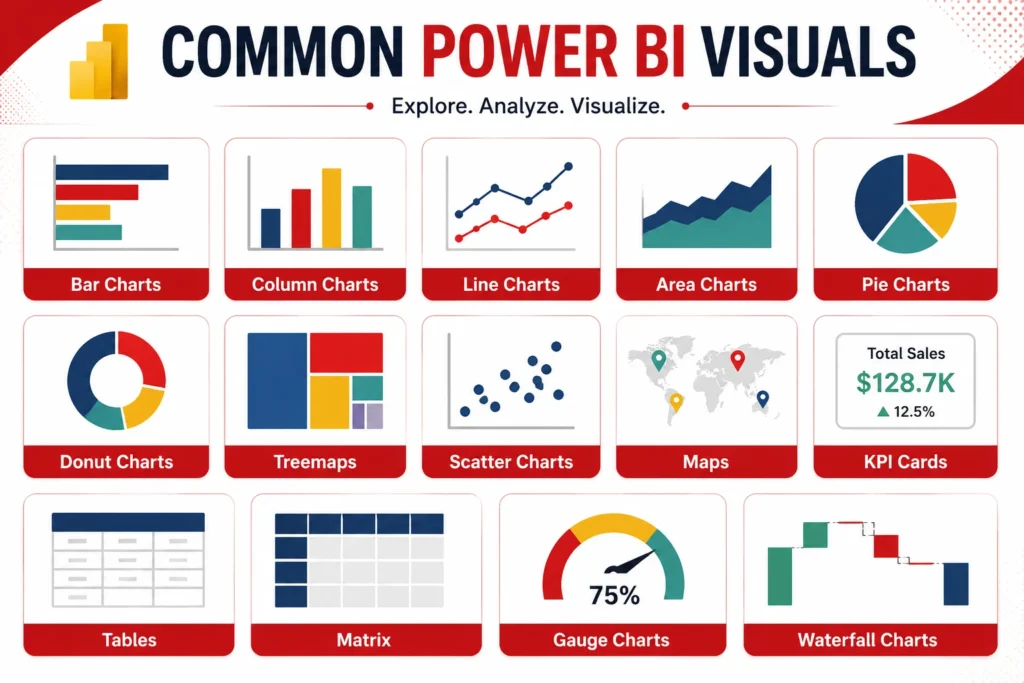
Candidates should know when and why to use different visuals.
Common Power BI visuals include:
Bar Charts
Column Charts
Line Charts
Area Charts
Pie Charts
Donut Charts
Treemaps
Scatter Charts
Maps
KPI Cards
Tables
Matrix
Gauge Charts
Waterfall Charts
Also review:
Drill-through
Drill-down
Tooltips
Bookmarks
Selection Pane
Conditional Formatting
Report Themes
Custom Visuals
5. Dashboard Design Best Practices
The PL-300 exam expects candidates to understand effective dashboard design.
Remember these principles:
Keep dashboards simple.
Highlight key KPIs.
Use consistent colors.
Avoid unnecessary visuals.
Choose appropriate chart types.
Minimize scrolling.
Group related information together.
Use meaningful titles.
A well-designed dashboard helps users make faster business decisions.
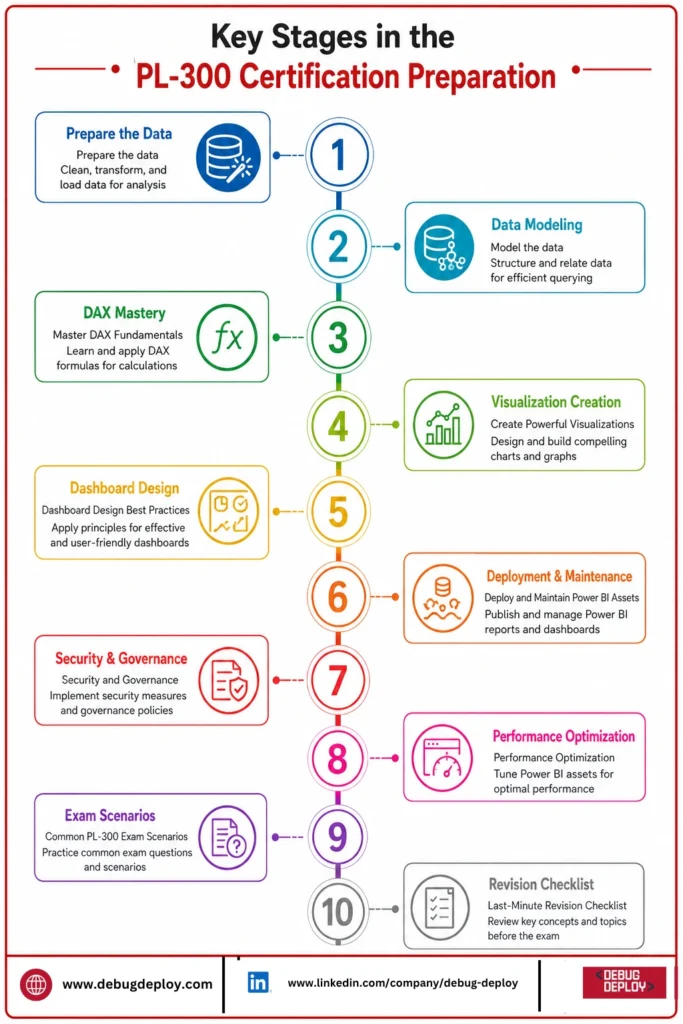
6. Deploy and Maintain Power BI Assets
Publishing reports is only one part of Power BI.
Candidates should also review:
Power BI Service
Workspaces
Apps
Dashboards
Reports
Datasets
Dataflows
Scheduled Refresh
Data Gateway
Incremental Refresh
Workspace Roles
Publishing Reports
Understanding the relationship between Power BI Desktop and Power BI Service is essential.
7. Security and Governance
Security questions appear regularly in the PL-300 exam.
Important topics include:
Row-Level Security (RLS)
Object-Level Security
Workspace Permissions
Dataset Permissions
Microsoft Entra ID
Sharing Reports
Sensitivity Labels
Certified Datasets
Data Protection
Candidates should understand how to secure reports without restricting productivity.
8. Performance Optimization
Efficient reports improve user experience.
Review these optimization techniques:
Reduce unnecessary columns
Remove unused tables
Optimize Power Query steps
Reduce visual count
Optimize DAX measures
Use Star Schema
Enable Incremental Refresh
Avoid excessive calculated columns
Performance optimization is frequently included in scenario-based questions.
9. Common PL-300 Exam Scenarios
Expect practical questions such as:
Which visualization best represents the data?
Which DAX function solves the requirement?
How should relationships be configured?
How can report performance be improved?
Which refresh mode should be selected?
How should security be implemented?
Which storage mode is appropriate?
How should data transformation be completed?
The exam focuses on solving business problems rather than memorizing definitions.
10. Last-Minute Revision Checklist
Before taking the exam, ensure you can confidently explain:
Power Query basics
Data modeling concepts
Star Schema design
Relationships
DAX fundamentals
CALCULATE function
Time Intelligence
Report visuals
Dashboard design
Scheduled Refresh
Data Gateway
Row-Level Security
Power BI Service
Workspaces
Deployment process
Performance optimization
If you’re comfortable with these topics, you’ll be well-prepared for most PL-300 exam objectives.
Study Tips for PL-300 Success
To maximize your chances of passing:
Practice daily using Power BI Desktop.
Build reports using real datasets.
Learn DAX by solving business scenarios.
Understand concepts instead of memorizing answers.
Review Microsoft’s official exam skills outline.
Take practice exams to identify weak areas.
Revisit difficult topics before exam day.
Consistent hands-on practice is far more valuable than passive reading.
Related Reports
Conclusion
A great approach to show off your proficiency with Power BI and business intelligence is to earn the PL-300 certification. A solid grasp of data preparation, modeling, DAX, visualization, report deployment, security, and performance optimization is necessary for exam success.
Instead of attempting to learn every feature by heart, concentrate on comprehending how Power BI addresses actual business issues. You may develop the confidence required to pass the test and become a proficient Power BI Data Analyst by going over the material in this cheat sheet and practicing frequently.
Want to Ace the PL-300 Certification Exam?
Prepare with a comprehensive PL-300 Cheat Sheet covering the most important exam topics, including Power Query, DAX, data modeling, visualization, Power BI Service, and report management. Learn from a Microsoft Certified Trainer (MCT) through hands-on sessions designed to help you pass the exam with confidence.
Recommended Microsoft Power BI Certification Programs:
PL-300: Microsoft Power BI Data Analyst
PL-900: Microsoft Power Platform Fundamentals
DP-900: Microsoft Azure Data Fundamentals
AZ-900: Microsoft Azure Fundamentals
✅ Live Instructor-Led Training
✅ Complete PL-300 Exam Preparation
✅ Power Query, DAX & Data Modeling Mastery
✅ Interactive Dashboards & Data Visualization
✅ Power BI Service Administration & Security
✅ Mock Tests, Exam Tips & Career Guidance
📧 Email: trainings@debugdeploy.com
📱 WhatsApp: Contact us for quick assistance
Master the key PL-300 exam topics, strengthen your Power BI skills, and earn your Microsoft Power BI Data Analyst certification with expert guidance and real-world practice.