
Introduction
Businesses in today’s digital age produce massive volumes of data every second. Data is now one of the most important corporate assets, from consumer purchases and website traffic to sales success and financial transactions. But gathering data on its own is insufficient. Businesses must be able to turn unprocessed data into insightful knowledge that helps them make better decisions.
Business Intelligence (BI) can help with this.
Business intelligence aids companies in gathering, evaluating, visualizing, and interpreting data in order to boost productivity, spot opportunities, and resolve problems. Microsoft Power BI has become one of the most potent and extensively used platforms for corporate analytics among the numerous BI products available today.
Whether you’re a student, business professional, or aspiring data analyst, understanding Business Intelligence and Power BI can open the door to exciting career opportunities and better business decision-making.
What Is Business Intelligence?
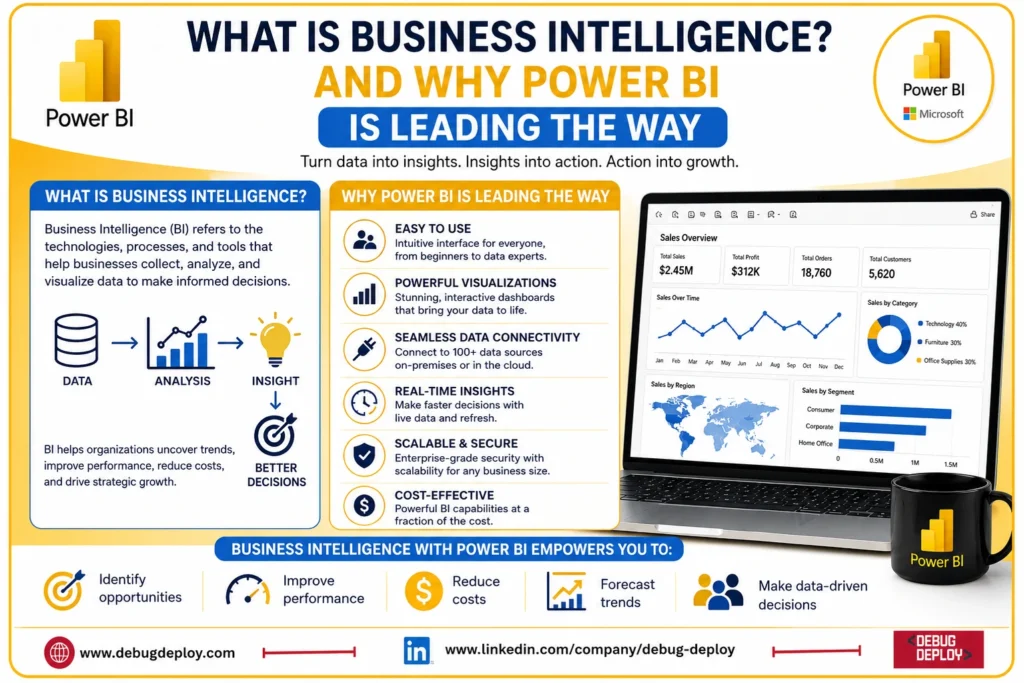
The process of obtaining, evaluating, and presenting business data to assist organizations in making wise decisions is known as business intelligence, or BI. Businesses utilize BI solutions to transform raw data into interactive reports, dashboards, and visualizations rather than depending on guessing.
Business intelligence gathers information from various sources, finds patterns, tracks performance, and offers useful insights. This makes it possible for companies to boost productivity, save expenses, boost income, and react swiftly to shifting market conditions.
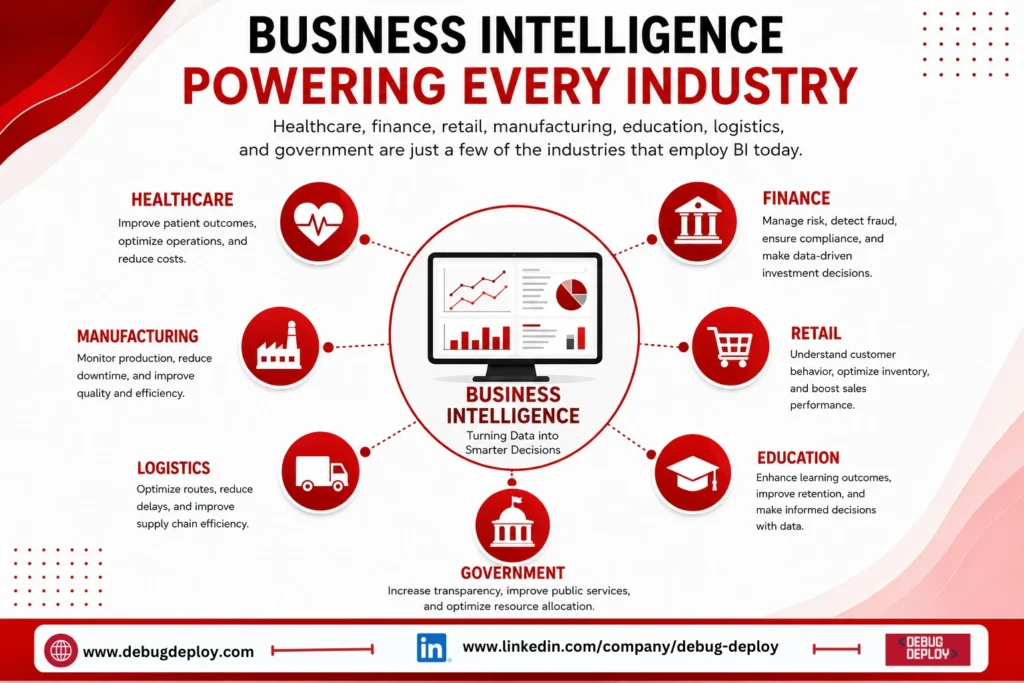
Healthcare, finance, retail, manufacturing, education, logistics, and government are just a few of the industries that employ BI today.
Why Business Intelligence Is Important
Modern businesses operate in highly competitive environments where quick and accurate decisions are essential. Business Intelligence provides organizations with real-time visibility into their operations and performance.
Some of the major benefits include:
Making data-driven business decisions
Identifying sales and revenue trends
Monitoring Key Performance Indicators (KPIs)
Improving customer experiences
Optimizing operational efficiency
Detecting business risks early
Forecasting future business growth
Instead of spending hours creating manual reports, decision-makers can instantly access dashboards that provide real-time insights.
What Is Microsoft Power BI?
One of Microsoft’s top platforms for data visualization and business intelligence is Microsoft Power BI. It enables users to create dynamic dashboards, connect to various data sources, modify raw data, and share results with other organizations.
Both technical and non-technical people can benefit from Power BI. Businesses don’t need to have a lot of programming experience to develop visually appealing reports thanks to its user-friendly interface.
Power BI is a top option for businesses who currently use the Microsoft ecosystem since it easily connects with Microsoft products including Excel, Azure, SQL Server, Microsoft 365, and Teams.
Why Power BI Is Leading the Business Intelligence Market
1. Easy-to-Use Interface
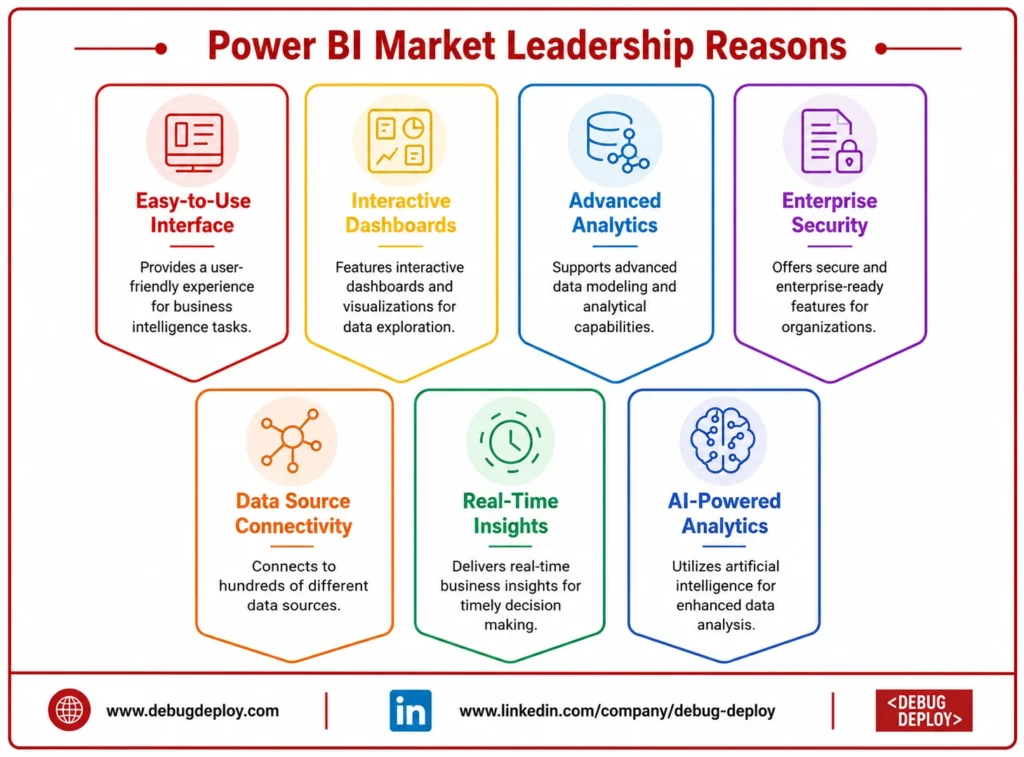
One of Power BI’s biggest strengths is its user-friendly interface. Users can build dashboards using drag-and-drop functionality, making it accessible even for beginners.
Business users can quickly create reports without writing complex code, allowing organizations to democratize data analytics across departments.
2. Connects to Hundreds of Data Sources
Power BI supports connections to hundreds of cloud and on-premises data sources, including:
Microsoft Excel
SQL Server
Azure
SharePoint
Google Analytics
Salesforce
Oracle
MySQL
PostgreSQL
CSV and XML files
This flexibility enables organizations to combine data from multiple systems into a single reporting platform.
3. Interactive Dashboards and Visualizations
Unlike traditional spreadsheets, Power BI transforms complex datasets into easy-to-understand visualizations.
Users can create:
Bar charts
Line graphs
Pie charts
KPI cards
Geographic maps
Heat maps
Tree maps
Drill-down reports
Interactive dashboards allow decision-makers to explore data with just a few clicks.
4. Real-Time Business Insights
Power BI supports real-time data updates, enabling businesses to monitor operations as they happen.
For example, organizations can track:
Live sales performance
Inventory levels
Website traffic
Customer service metrics
Manufacturing operations
This helps businesses respond quickly to changing situations and make timely decisions.
5. Advanced Data Modeling and Analytics
Power BI includes powerful features such as:
Power Query for data transformation
Data relationships
Star schema modeling
Calculated columns
Measures using DAX (Data Analysis Expressions)
Advanced filtering and drill-through analysis
These capabilities help analysts build sophisticated data models while maintaining excellent performance.
6. AI-Powered Analytics
Power BI includes artificial intelligence features that simplify data exploration.
Users can:
Detect anomalies
Identify hidden trends
Generate automated insights
Use natural language queries
Build AI-enhanced visualizations
These features make advanced analytics accessible even to users with limited technical expertise.
7. Secure and Enterprise-Ready
Security is critical for organizations handling sensitive business information.
Power BI offers:
Role-based access control
Row-level security
Data encryption
Microsoft Entra ID integration
Compliance with major international security standards
These enterprise-grade security features make Power BI suitable for organizations of all sizes.
Who Uses Power BI?
Power BI is widely used across industries by professionals in various roles, including:
Business Analysts
Data Analysts
Financial Analysts
Sales Managers
Marketing Teams
HR Professionals
Operations Managers
Executives and Business Leaders
Organizations use Power BI to analyze customer behavior, monitor financial performance, optimize supply chains, and improve operational efficiency.
Career Opportunities with Power BI
As organizations increasingly rely on data-driven decision-making, the demand for Power BI professionals continues to grow.
Popular job roles include:
Power BI Developer
Business Intelligence Analyst
Data Analyst
Reporting Analyst
Business Analyst
Data Visualization Specialist
BI Consultant
Learning Power BI also provides a strong foundation for careers in data science, cloud analytics, and business intelligence.
How Beginners Can Start Learning Power BI
If you’re new to Business Intelligence, start with these steps:
Learn the fundamentals of Business Intelligence.
Understand basic data analysis concepts.
Practice importing data into Power BI Desktop.
Learn Power Query for data cleaning and transformation.
Build interactive dashboards using charts and visuals.
Explore DAX for calculations and business metrics.
Publish reports to the Power BI Service and share them securely.
Regular hands-on practice with real datasets is the fastest way to develop Power BI skills.
Related Reports
Conclusion
company intelligence is becoming a crucial component of contemporary company strategy, allowing companies to turn data into insightful knowledge that helps them make better decisions. The need for business intelligence solutions will only grow as more businesses adopt digital transformation.
Because of its robust analytics, real-time reporting, AI capabilities, ease of use, and smooth connection with the Microsoft ecosystem, Microsoft Power BI stands out as one of the top BI platforms. Learning Power BI is a wise investment for the future, regardless of your level of experience with data analytics.
By mastering Business Intelligence and Power BI, you’ll gain the ability to analyze data effectively, support strategic decision-making, and unlock exciting career opportunities in the rapidly growing world of data analytics.
Want to Build a Career in Business Intelligence with Microsoft Power BI?
Master Microsoft Power BI and learn how to transform raw data into interactive dashboards, meaningful insights, and data-driven business decisions with guidance from a Microsoft Certified Trainer (MCT).
Recommended Microsoft Power BI & Data Analytics Certification Programs:
PL-300: Microsoft Power BI Data Analyst
PL-900: Microsoft Power Platform Fundamentals
DP-900: Microsoft Azure Data Fundamentals
AZ-900: Microsoft Azure Fundamentals
✅ Live Instructor-Led Training
✅ Power BI Dashboard & Report Development
✅ Data Modeling, DAX & Power Query Skills
✅ Real-World Business Intelligence Projects
✅ Data Visualization Best Practices
✅ Certification Exam Preparation & Career Guidance
📧 Email: trainings@debugdeploy.com
📱 WhatsApp: Contact us for quick assistance
Become a skilled Business Intelligence professional with Microsoft Power BI and help organizations turn data into smarter decisions and measurable business growth.