
Organizations want a single platform to effectively manage, analyze, and visualize data in the data-driven world of today. Microsoft Fabric, an all-in-one analytics platform created to streamline data management, engineering, integration, and business intelligence, is Microsoft’s response to this requirement. Since its launch, Microsoft Fabric has gained significant attention from data professionals, particularly those who are already utilizing Power BI.
What is Microsoft Fabric, though, and how does it connect to Power BI? Let’s investigate.
Understanding Microsoft Fabric
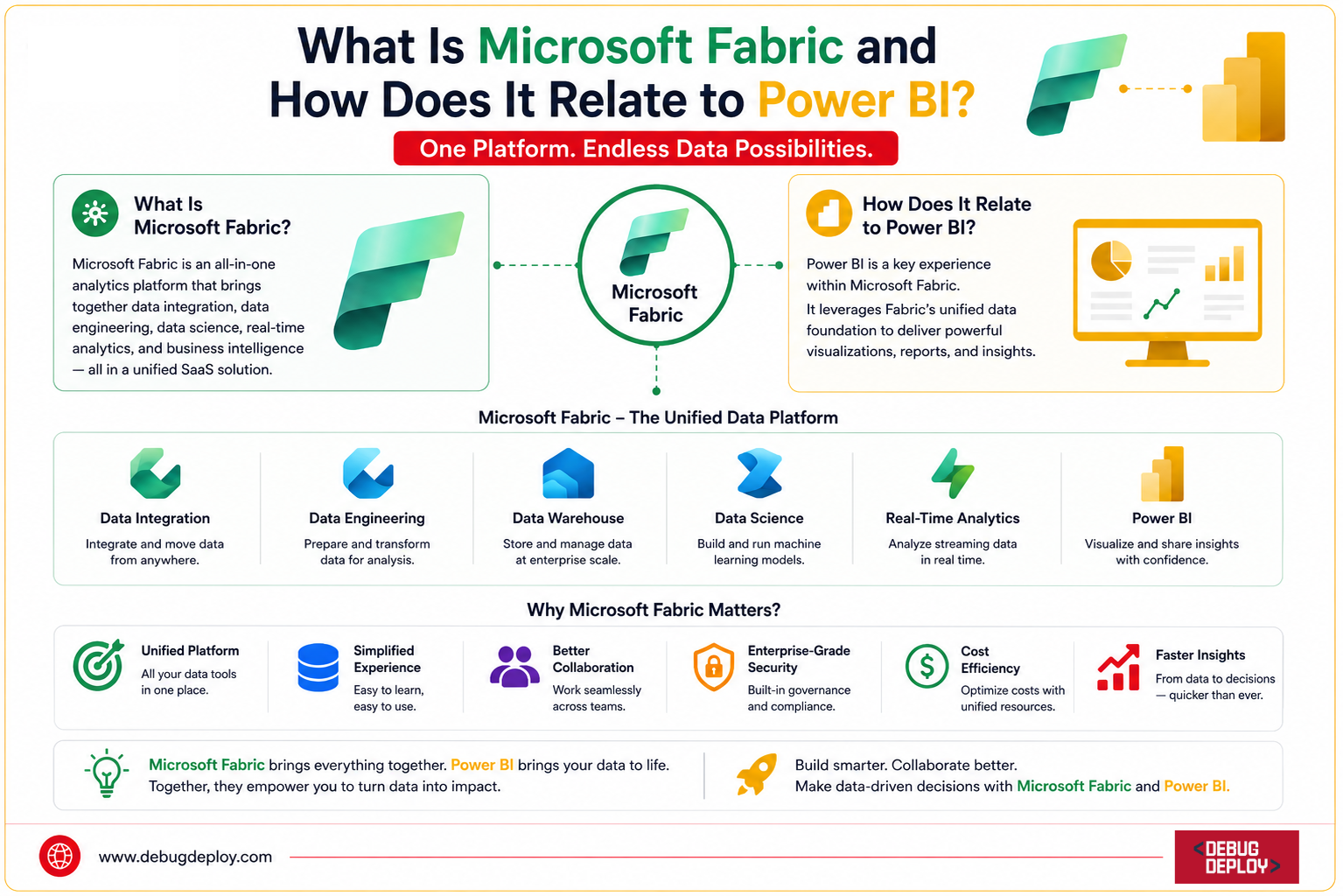
Microsoft Fabric is an all-inclusive cloud-based analytics platform that integrates multiple data providers into one cohesive solution. Organizations can carry out data engineering, data integration, data science, data warehousing, and business intelligence processes in a single, cohesive environment rather than utilizing disparate solutions.
Microsoft Fabric brings together several previously separate Microsoft services, including:
Data Factory
Synapse Data Engineering
Synapse Data Science
Synapse Data Warehouse
Real-Time Analytics
Power BI
The goal is simple: eliminate data silos and provide a seamless experience from data ingestion to business insights.
Why Microsoft Fabric Was Created
Traditionally, organizations relied on multiple tools and platforms to manage their data lifecycle. Data engineers used one system, analysts used another, and business users accessed reports through separate BI tools. This often led to:
Data duplication
Increased costs
Complex integrations
Security challenges
Slow decision-making
Microsoft Fabric solves these challenges by creating a unified Software-as-a-Service (SaaS) platform where all teams work on the same data foundation.
Key Components of Microsoft Fabric
1. Data Factory
Fabric includes a modern data integration experience that enables users to connect, move, and transform data from various sources.
Features include:
Data pipelines
ETL and ELT processes
Hundreds of data connectors
Automated workflows
This allows organizations to bring data from databases, cloud services, APIs, and on-premises systems into a central location.
2. Data Engineering
Data engineers can build scalable data solutions using Spark-powered notebooks and data pipelines.
Capabilities include:
Apache Spark integration
Notebook development
Data transformation
Large-scale processing
This helps prepare and clean data for downstream analytics.
3. Data Warehouse
Microsoft Fabric offers enterprise-grade data warehousing capabilities.
Benefits include:
SQL-based analytics
High-performance querying
Scalable architecture
Unified governance
Organizations can analyze large volumes of structured data without managing infrastructure.
4. Data Science
Data scientists can develop machine learning models directly within Fabric.
Features include:
Python support
Machine learning experiments
Predictive analytics
Model deployment
This enables advanced analytics without switching platforms.
5. Real-Time Analytics
Businesses can analyze streaming data as it arrives.
Common use cases include:
IoT monitoring
Fraud detection
Website activity tracking
Operational dashboards
Real-time insights help organizations respond quickly to changing conditions.
6. OneLake
At the heart of Microsoft Fabric is OneLake, Microsoft’s unified data lake.
Think of OneLake as the “OneDrive for Data.”
Key advantages include:
Single source of truth
Centralized storage
Reduced data duplication
Shared access across workloads
Every Fabric experience works from the same underlying data repository.
What Is Power BI?
Power BI is Microsoft’s leading business intelligence and data visualization platform. It enables users to:
Create interactive dashboards
Build reports
Visualize business metrics
Share insights across organizations
Support data-driven decisions
For years, Power BI has been one of the most popular BI tools worldwide due to its ease of use and powerful visualization capabilities.
How Microsoft Fabric Relates to Power BI
One of the most important things to understand is that Power BI is now a core component of Microsoft Fabric.
Instead of being a standalone BI tool, Power BI has become the visualization and reporting layer within the broader Fabric ecosystem.
Before Microsoft Fabric
The traditional workflow often looked like this:
Data Sources → ETL Tools → Data Warehouse → Power BI
Each component might exist in separate environments and require different management approaches.
With Microsoft Fabric
The workflow becomes:
Data Sources → Microsoft Fabric → Power BI
Everything operates within the same integrated platform.
Power BI’s Role Inside Fabric
Power BI continues to provide:
Data Visualization
Users can build:
Dashboards
Reports
Scorecards
KPI tracking systems
using data stored within Fabric.
Semantic Models
Power BI datasets are now known as semantic models, providing a shared business layer for analytics.
Benefits include:
Consistent business definitions
Reusable metrics
Improved governance
Better performance
Self-Service Analytics
Business users can continue creating reports without needing deep technical expertise.
Benefits of Using Power BI with Microsoft Fabric
1. Unified Data Environment
All teams work on the same data stored in OneLake.
Advantages:
Improved consistency
Reduced duplication
Faster analytics
2. Faster Insights
Data ingestion, transformation, storage, and visualization occur within a single ecosystem.
This reduces:
Data movement
Integration complexity
Reporting delays
3. Enhanced Collaboration
Data engineers, analysts, scientists, and business users can collaborate using one platform.
Everyone accesses the same trusted data.
4. Better Governance and Security
Fabric provides centralized governance features such as:
Data lineage
Access controls
Compliance management
Data monitoring
This improves security while maintaining accessibility.
5. Cost Optimization
Organizations can reduce expenses by consolidating multiple analytics tools into a single platform.
Benefits include:
Lower licensing costs
Reduced infrastructure management
Simplified administration
Who Should Use Microsoft Fabric?
Microsoft Fabric is ideal for:
Business Analysts
Dashboard creation
Report development
KPI monitoring
Data Engineers
Data integration
Pipeline creation
Data transformation
Data Scientists
Machine learning
Predictive analytics
Advanced modeling
Enterprise Organizations
Large-scale analytics
Unified governance
End-to-end data management
Is Power BI Being Replaced by Microsoft Fabric?
No.
This is one of the most common misconceptions.
Power BI is not being replaced. Instead, it has become an essential part of Microsoft Fabric.
Think of it this way:
Power BI = Business Intelligence and Visualization
Microsoft Fabric = Complete Data and Analytics Platform
Power BI remains the primary tool for creating dashboards and reports, while Fabric extends capabilities across the entire data lifecycle.
Conclusion
Microsoft’s goal for a unified analytics future is embodied in Microsoft Fabric. Organizations can simplify their data operations and speed up decision-making by integrating data engineering, integration, warehousing, data science, real-time analytics, and Power BI into a single SaaS platform.
Fabric is a major improvement rather than a replacement for Power BI customers. Through OneLake, integrated analytics services, and smooth teamwork, it offers a better basis.
Together, Microsoft Fabric and Power BI provide a potent solution for turning unprocessed data into useful insights as companies continue to produce ever-increasing amounts of data. With Power BI continuing to be at the core of business intelligence and reporting, companies wishing to update their analytics strategy should see Microsoft Fabric as the next development of the Microsoft data ecosystem.
Want to Master Microsoft Fabric & Power BI for Modern Analytics?
Get trained by a Microsoft Certified Trainer (MCT) and learn how Microsoft Fabric and Power BI work together to deliver end-to-end analytics, data engineering, and business intelligence solutions.
Recommended Microsoft Certification Programs:
DP-600: Implementing Analytics Solutions Using Microsoft Fabric
PL-300: Microsoft Power BI Data Analyst
DP-900: Microsoft Azure Data Fundamentals
PL-900: Microsoft Power Platform Fundamentals
✅ Live Instructor-Led Training
✅ Microsoft Fabric End-to-End Analytics
✅ Power BI Dashboards & Semantic Models
✅ OneLake, Data Factory & Lakehouse Concepts
✅ Data Engineering, Analytics & Business Intelligence Skills
✅ Certification Exam Preparation & Guidance
📧 Email: trainings@debugdeploy.com
📱 WhatsApp: Contact us for quick assistance
Build in-demand Microsoft Fabric and Power BI skills to create scalable analytics solutions, transform business data into insights, and accelerate your data career.