
The demand for data-driven decision-making is growing rapidly, and organizations are actively looking for professionals who can turn raw data into meaningful insights. One of the most valuable certifications in this space is the PL-300: Microsoft Power BI Data Analyst exam. This certification validates your ability to prepare, model, visualize, and analyze data using Power BI. For beginners and professionals aiming to build a career in data analytics, business intelligence, or reporting, PL-300 is a powerful credential. Passing it on your first attempt requires a clear understanding of exam topics, consistent practice, and a structured study plan.
What Is PL-300 Certification?
PL-300 is a Microsoft certification focused on data analysis using Power BI. It tests your ability to connect to data sources, transform data, create data models, build dashboards, generate reports, and derive actionable insights. The certification is designed for Data Analysts who work with business data to support decision-making.
It is highly relevant for roles such as Data Analyst, Business Intelligence Developer, Reporting Analyst, and Power BI Developer.
Why PL-300 Is Valuable in 2026
Data has become one of the most critical assets for businesses. Companies rely on analytics tools to understand performance, predict trends, and optimize operations. Power BI is widely used across industries for reporting and visualization, making PL-300 a strong certification for career growth. It demonstrates practical skills that employers actively look for, especially in roles involving dashboards, KPIs, and business insights.
Exam Structure and Skills Measured
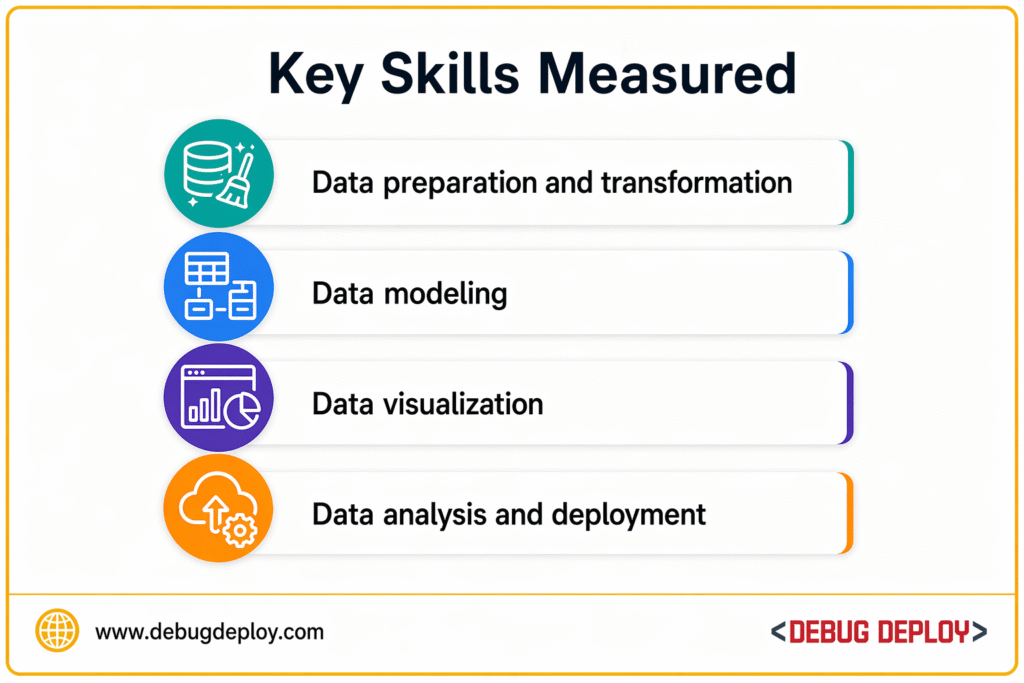
The PL-300 exam focuses on four main areas:
1. Prepare the Data
This includes connecting to data sources, cleaning and transforming data using Power Query, handling missing values, and shaping data for analysis.
2. Model the Data
You need to understand relationships, data modeling techniques, star schema, normalization, calculated columns, and DAX (Data Analysis Expressions).
3. Visualize and Analyze the Data
This section focuses on creating dashboards, reports, charts, slicers, KPIs, and interactive visuals. You should know how to present insights effectively.
4. Deploy and Maintain Assets
This includes publishing reports, managing workspaces, sharing dashboards, setting up security (RLS), and optimizing performance.
Most Important Topics to Focus On
To maximize your score, prioritize these high-impact topics:
- Power Query transformations
- Data cleaning techniques
- Data modeling and relationships
- DAX functions (CALCULATE, SUMX, FILTER, ALL)
- Measures vs calculated columns
- Star schema design
- Report building and visualization best practices
- Row-Level Security (RLS)
- Power BI Service and publishing
- Dashboard performance optimization
Step-by-Step Study Plan (6 Weeks)
Week 1: Power BI Basics
Learn Power BI interface, data loading, basic visuals, and report creation.
Week 2: Power Query (Data Preparation)
Practice transforming data, removing duplicates, merging queries, pivot/unpivot, and handling null values.
Week 3: Data Modeling
Focus on relationships, star schema, normalization, calculated columns, and measures.
Week 4: DAX Functions
Practice key DAX formulas and understand filter context, row context, and aggregations.
Week 5: Visualization + Service
Build dashboards, use slicers, apply filters, publish reports, and configure RLS.
Week 6: Practice Tests + Revision
Take mock exams, review weak areas, and revise key concepts.
Hands-On Practice Is Essential
PL-300 is not just theoretical. You must practice using Power BI regularly.
Try these activities:
- Import datasets from Excel or CSV
- Clean and transform data using Power Query
- Build relationships between tables
- Create dashboards with KPIs
- Write DAX formulas for calculations
- Publish reports to Power BI Service
Real practice improves understanding and speed during the exam.
Important DAX Concepts to Master
- DAX is one of the most critical components of the PL-300 certification and plays a key role in data modeling and analysis.
- Focus on aggregation functions such as SUM, AVERAGE, and COUNT to perform basic calculations on datasets.
- Learn the CALCULATE function, which is one of the most powerful DAX functions used to modify filter context and create advanced calculations.
- Understand the difference between filter context and row context, as this determines how data is evaluated in Power BI.
- Practice time intelligence functions to analyze data over time, such as year-to-date, month-to-date, and growth trends.
- Use logical functions to apply conditions and build decision-based calculations within your data models.
- Work with iterators like SUMX, which allow you to perform calculations row by row for more complex scenarios.
- Develop a clear understanding of when and how to use DAX in real-world scenarios, as practical application is essential.
- Mastering these concepts is crucial for passing the PL-300 exam and building strong skills in Power BI.
Tips to Pass PL-300 First Time
Focus on Practical Understanding
Know how to apply concepts, not just definitions.
Practice Real Scenarios
Work on datasets like sales, finance, or marketing data.
Use Microsoft Learn
Follow official modules aligned with exam objectives.
Manage Time in Exam
Do not spend too long on difficult questions.
Read Questions Carefully
Watch for keywords like best solution, most efficient, or optimized approach.
Revise Weak Areas
Focus on DAX and data modeling if you find them difficult.
Common Mistakes to Avoid
- Ignoring DAX practice
- Weak understanding of relationships
- Skipping Power Query transformations
- Not practicing dashboard creation
- Avoiding Power BI Service features
- Relying only on theory
Hands-on experience is the biggest success factor.
Who Should Take PL-300?
The PL-300 certification is ideal for aspiring data analysts who want to build a strong foundation in data analysis and visualization, business intelligence professionals looking to enhance their skills in transforming raw data into meaningful insights, Excel users who are transitioning to Power BI to work with more advanced and scalable reporting tools, reporting professionals who aim to create interactive dashboards and improve decision-making processes, students who are entering data-related careers and want to gain industry-recognized certification, and professionals who regularly work with dashboards and data reports and are looking to improve their ability to analyze, model, and present data effectively using Power BI.
Career Opportunities After PL-300
After passing PL-300, you can pursue roles such as:
- Data Analyst
- Power BI Developer
- Business Intelligence Analyst
- Reporting Analyst
- Data Visualization Specialist
These roles are in high demand across industries.
People Also Ask(FAQ’s)
Is PL-300 certification difficult?
It is moderate in difficulty, especially if you are new to Power BI.
How long does it take to prepare for PL-300?
Typically 4–8 weeks depending on your experience level.
Is PL-300 worth it?
Yes, it is highly valuable for careers in data analytics and business intelligence.
Do I need coding knowledge for PL-300?
Basic knowledge of DAX is required, but no advanced coding is needed.
Can beginners pass PL-300?
Yes, with consistent practice and structured learning.
Real-World Use Case
Example Scenario
Goal: Build a sales dashboard
- Data cleaning using Power Query
- Data modeling with relationships
- Visualization using charts and KPIs
Result: Actionable business insights using Power BI
Related Reports
- How Power BI Drives Smarter Data-Driven Decisions
- Transitioning Your Data Workflow from Excel to Power BI
- What Is Microsoft Azure? 7 Powerful Reasons Beginners Should Care About Cloud Computing
- What Is Power BI? A Complete Beginner’s Guide (2026)
Conclusion
The PL-300 Certification Study Guide provides a clear path to mastering Power BI and passing the exam successfully.
Final Takeaways
- Focus on hands-on practice
- Master DAX and data modeling
- Use practice tests for revision
Career Insight
Earning this certification can open doors to roles like Data Analyst, Business Intelligence Analyst, and Power BI Developer.
Want to Get Certified in Power BI?
Get trained by a Microsoft Certified Trainer (MCT) and prepare confidently for your Microsoft certification exam.
Enroll in our expert-led training program for:
PL-300T00-A: Microsoft Power BI Data Analyst
✅ Live Instructor-Led Training
✅ Hands-On Power BI Labs
✅ Real-World Dashboard & Report Scenarios
✅ DAX, Power Query & Data Modeling Practice
✅ Certification Exam Guidance
📧 Email us: trainings@debugdeploy.com
📱 WhatsApp us for quick assistance
Start your Power BI certification journey today and grow your data analytics career with confidence!